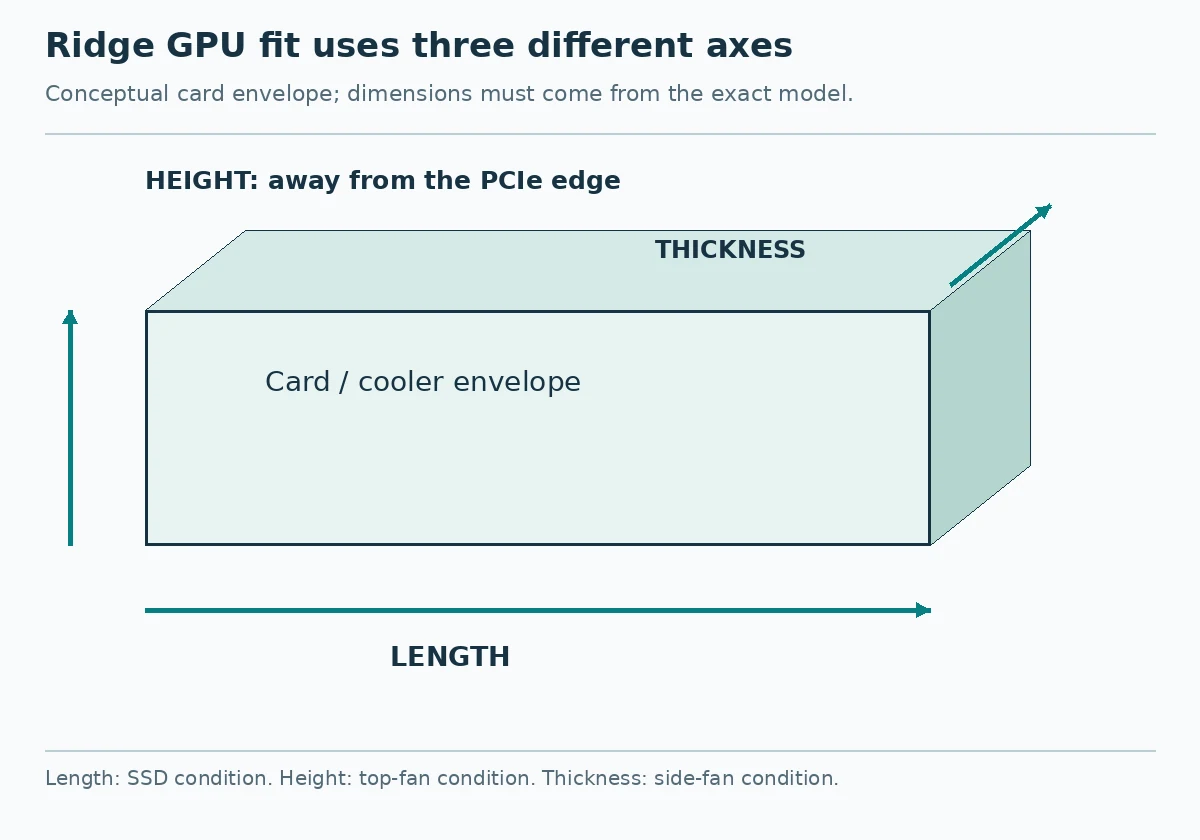
A replacement GPU fits the Fractal Ridge only if it clears three separate limits: length depends on SSD installation, height depends on top fans, and thickness depends on side fans. Keeping the factory-installed side fans gives you a 57 mm GPU thickness limit; removing them raises the stated limit to 82 mm. An installed SSD sets the stated GPU length limit at 325 mm rather than 335 mm, while top fans lower the height limit from 137 mm to 125 mm. Measure the exact card variant you intend to buy against all three dimensions before deciding which existing parts to move.
Start with the Card, Not Its Slot Label
Get the manufacturer’s length, height and thickness specifications for the precise GPU model and variant on your shortlist. Two cards using the same GPU chip need not have the same cooler or dimensions. Do not treat “three-slot” as a substitute for a millimetre measurement: the Ridge has three expansion slots, but its published thickness limits also depend on its fans.
Use this as your first-pass fit check:
| What you want to retain | Published Ridge GPU limit |
|---|---|
| SSD installed | 325 mm length |
| No SSD installed | 335 mm length |
| Top fan or fans installed | 125 mm height |
| No top fans | 137 mm height |
| Both 140 mm side fans installed | 57 mm thickness |
| No side fans | 82 mm thickness |
These are independent checks, not interchangeable allowances. Removing a side fan does not make a card shorter, and removing a top fan does not make it thinner. The published 57 mm thickness condition specifically names two 140 mm side fans; the product sheet does not supply a replacement GPU limit for a one-fan, 120 mm or slim-fan arrangement. Its 82 mm figure applies without side fans.
The Ridge PCIe 4.0 comes with two 140 mm PWM Aspect side fans installed. Its three 80 mm top-fan positions are optional, with no top fans included. That makes 57 mm the sensible initial thickness check for an unchanged case, whereas the 125 mm height check matters if you have added top fans.
Decide Whether the SSDs Need to Move
The length distinction is small but consequential: 325 mm with an SSD installed; 335 mm without an SSD installed. A candidate longer than 335 mm is outside both published length configurations. A card between those figures requires an SSD-layout decision before purchase.
First, record which of the Ridge’s four included 2.5-inch drive positions you actually use. The product sheet gives the with-SSD and without-SSD length limits, but does not identify which individual mount positions obstruct that extra space. It therefore does not establish that every installed SSD must be removed—or that shifting one to another internal position will definitely recover the full 335 mm. Check the original case manual and the physical route of your GPU before relying on a particular relocation.
If retaining the drives is more important than buying a particular long card, shop to the 325 mm limit. If the longer card matters more, make a definite plan for the SSDs rather than treating “remove them if necessary” as a post-purchase detail. Removing an SSD from the case also means deciding where its storage will go.
Choose Deliberately Which Fans to Keep
Top fans affect GPU height, not length or thickness. With any top fan installed, the published maximum GPU height is 125 mm; without top fans, it is 137 mm. A card taller than 125 mm but no taller than 137 mm calls for a no-top-fan configuration under the stated limits. Removing top fans will not solve a card that exceeds 137 mm.
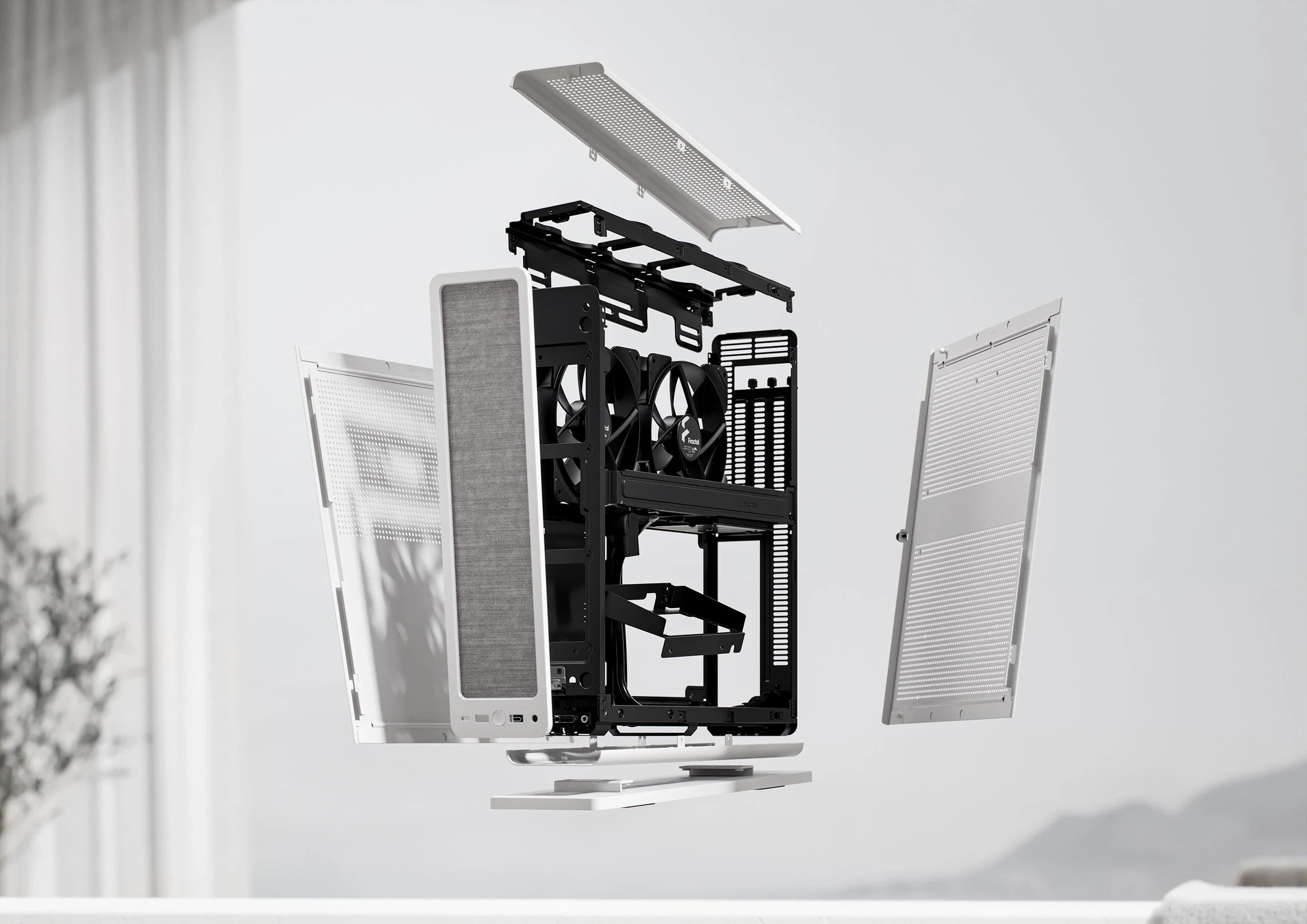
Side fans affect GPU thickness. Keeping both included 140 mm fans means shopping at or below 57 mm. Removing side fans permits the published 82 mm maximum, provided the other two dimensions fit too. If you choose a thicker card, account for the fact that you are giving up the factory fan arrangement; do not assume the specification establishes equivalent cooling or noise afterward. Conversely, a thin card that fits alongside both side fans lets you retain hardware you already own without making that trade.
Treat any configuration between the sheet’s explicitly stated side-fan conditions as something to verify, not a calculated midpoint. There is no published thickness figure here for retaining only one of the included fans.
Work Through Two Possible Purchases
For example, suppose a candidate card is specified at 330 mm long, 120 mm high and 55 mm thick. Its height would fit even with optional top fans, and its thickness would fit with both factory 140 mm side fans. Length is the obstacle: 330 mm exceeds the published 325 mm with-SSD limit but is within the 335 mm without-SSD limit. If you need to keep an SSD in the Ridge, look for a shorter card instead. If you can move the storage out of the case, confirm the empty GPU path and the card’s exact dimensions before buying. Removing fans would not fix this card’s length.
Now suppose another candidate is 320 mm long, 132 mm high and 70 mm thick. Its length falls within the with-SSD limit, so the drive decision is easier. Its 132 mm height exceeds the top-fan limit but falls within the no-top-fan limit. Its 70 mm thickness exceeds the limit with both 140 mm side fans but falls within the no-side-fan limit. Under the published configurations, choosing this card means keeping the SSDs while running without top fans and without side fans. If retaining the factory side fans is a priority, a thinner card is the more direct choice.
Neither example says how a real card will perform. They show why a single “fits Ridge” label—or a check of only the longest dimension—cannot settle the purchase.
Check the Rest of the Migration Before Ordering
The Ridge uses a Mini-ITX motherboard and an SFX or SFX-L power supply. Its CPU-cooler height limit is 70 mm, separate from the GPU-height figures above. The Ridge PCIe 4.0 product sheet also lists an included PCIe 4.0 riser card. If you are buying a used case, confirm the riser and other needed parts are actually present rather than assuming the original package is complete.
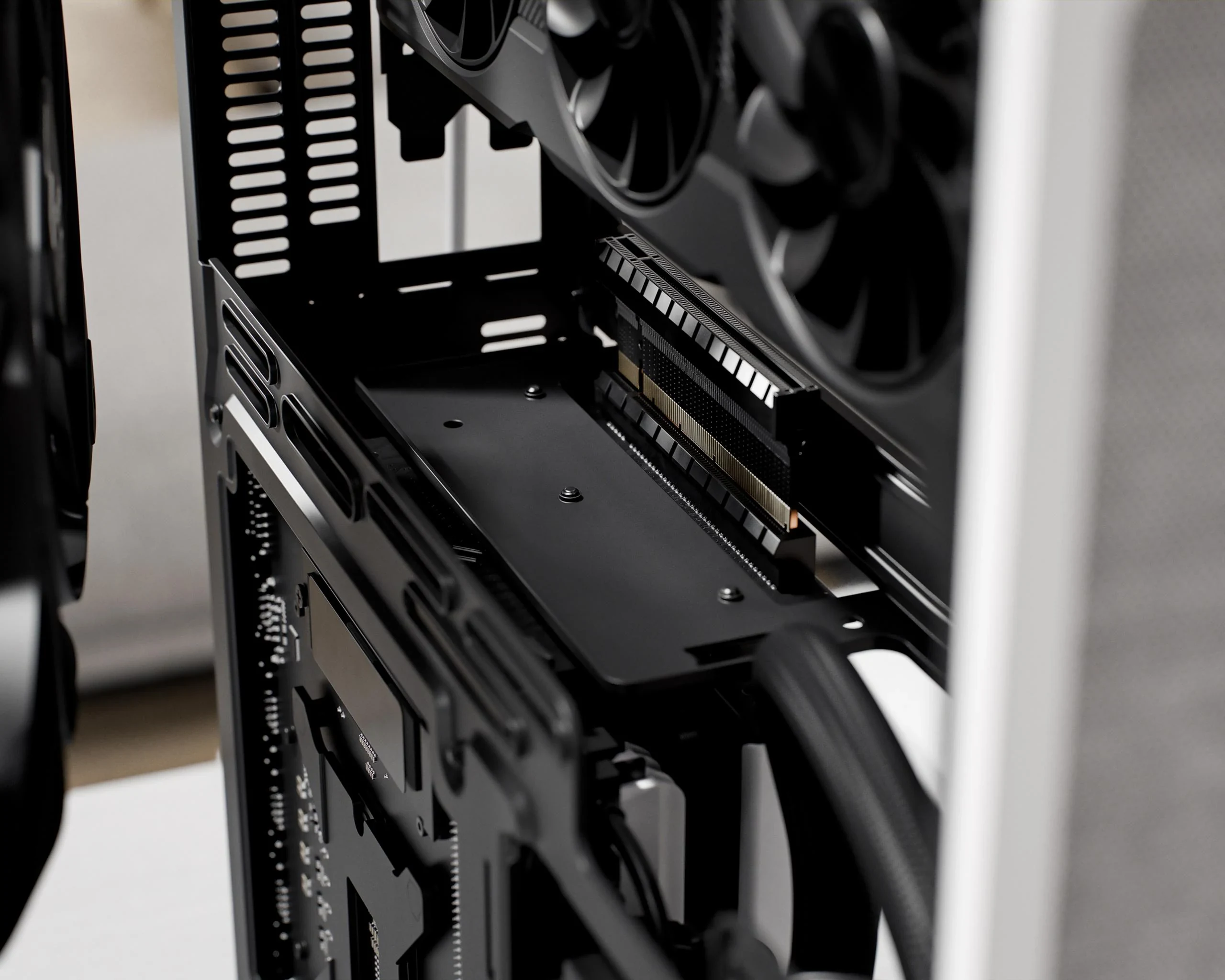
Liquid cooling is not a workaround for an overlong GPU. The sheet lists a 120 mm side radiator with an installed GPU no longer than 175 mm, or a 280 mm radiator without a GPU. Do not plan on its 280 mm radiator figure alongside a full-length replacement card.
Before ordering, make one purchase record: the exact GPU variant and its three dimensions; the SSDs and mounts you intend to keep; whether any top fans remain; and whether both side fans remain or neither does. Compare that record with the applicable limits, and use available card specifications or photos to check the power-connector location and plan for cable bend and routing space. Before buying, compare the exact card maker’s power and connector requirements with the retained PSU’s documented capacity and available compatible cables; the case’s SFX or SFX-L size support does not qualify the PSU electrically. After the card arrives, test-fit it with its power cable and check that the side panels close without pressure. The published dimensional limits are a starting point, not a substitute for that physical check.