Choose the Sabrent EC-SNVE when the SSD you want to retain needs its SATA-or-NVMe flexibility or its listed 2260 mounting support. Consider the OWC Express 1M2 when you have a compatible NVMe drive and a host connection that makes its USB4 capability useful. Both choices still require a complete match between the old SSD, enclosure, mounting hardware, cable, host power and operating system.
The important purchase is the enclosure that lets you reuse your particular drive. Buying the faster interface first can leave a SATA SSD without a compatible bridge, a short SSD without the tool needed to move its support post, or a high-power NVMe drive without adequate power. Start with the drive leaving the motherboard, then work outward to the computer that will use it.
Match the Drive’s Protocol and Size Before Comparing USB Speeds
Record the old SSD's exact model and check its manufacturer's specifications. Establish whether it uses SATA or PCIe NVMe, its length, whether components occupy one or both sides, and whether a heatsink is attached to the SSD itself. The M.2 description alone does not settle those questions. A motherboard's removable SSD cover and a drive with its own attached heatsink also present different retention decisions.
| What you want to keep | Sabrent EC-SNVE | OWC Express 1M2 |
|---|---|---|
| M.2 SATA SSD | Supported protocol | Not the supported drive type; NVMe only |
| M.2 NVMe SSD | Supported protocol | Supported protocol |
| Listed M.2 lengths | 2230, 2242, 2260, 2280 | 2230, 2242, 2280 |
| Single- or double-sided drive | Confirm component clearance for the exact drive with Sabrent before buying | Both single- and double-sided NVMe SSDs listed |
| SSD with an attached heatsink | Verify the exact assembly; protocol support alone does not establish fit | Heatsink-equipped SSDs do not fit and are not supported |
Sabrent's detailed specifications and installation guide include all four listed lengths, including 2230. Its shorter product-highlight list omits 2230, so use the detailed specification together with the guide rather than the abbreviated highlight alone. OWC explicitly lists 2230, 2242 and 2280 NVMe drives; 2260 is absent from that supported-length list. Do not assume a longer enclosure means every intermediate mounting position is provided.
For example, an owner taking a 2260 M.2 SATA SSD out of a desktop has two separate reasons to keep the EC-SNVE in consideration: its protocol and its mounting-length list. Choosing the Express 1M2 because it has USB4 would resolve neither requirement. Its listed protocol and length are the first fit checks; component clearance still needs to match.
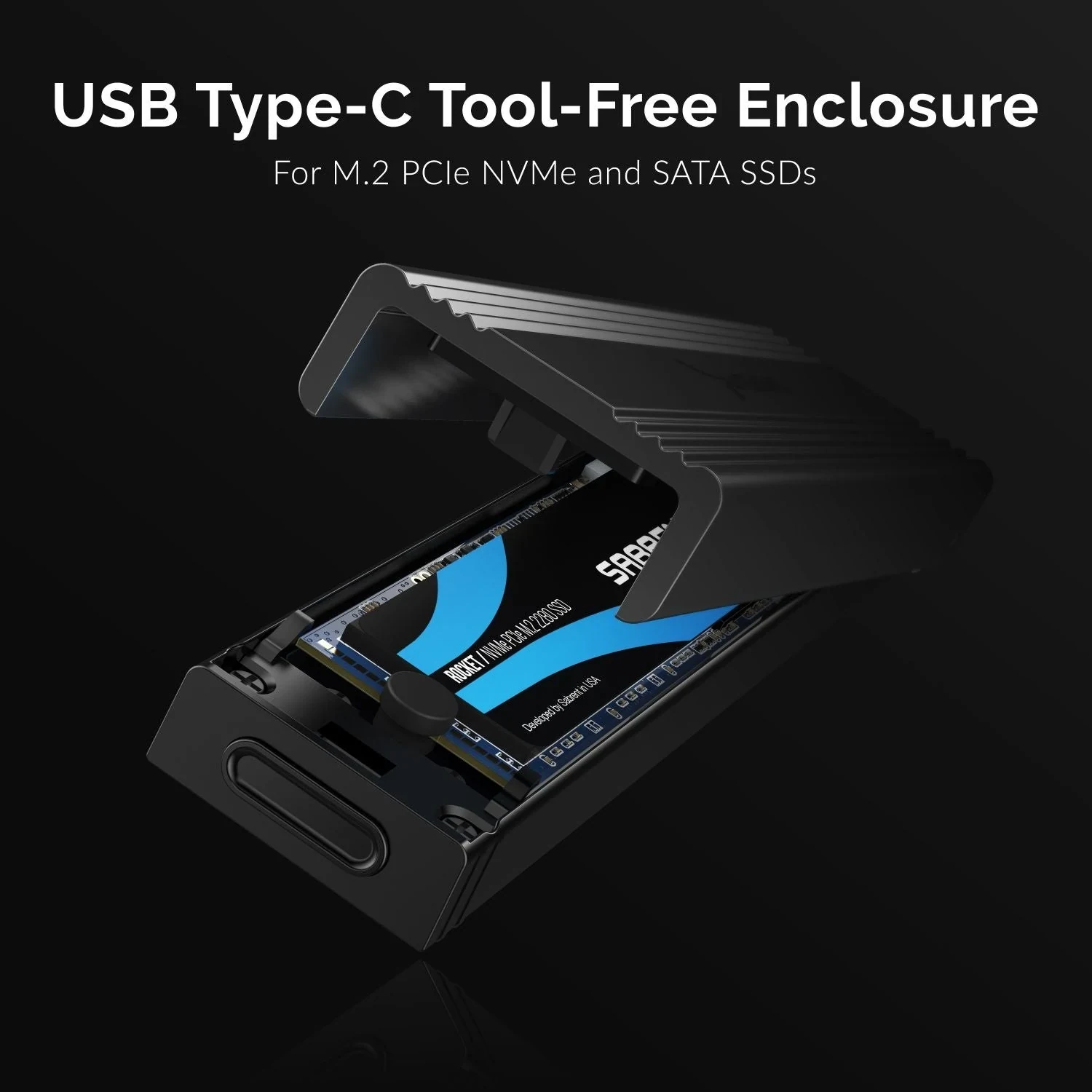
The opened Sabrent product view shows the drive seated inside the hinged housing. The SSD pictured illustrates the installed arrangement; the enclosure's package list does not include an SSD. Compare your own drive's thickness and component placement with the actual unit you intend to buy instead of treating that product image as proof that an unusually thick assembly will fit.
Include the Mounting Hardware and the Short-Drive Tool
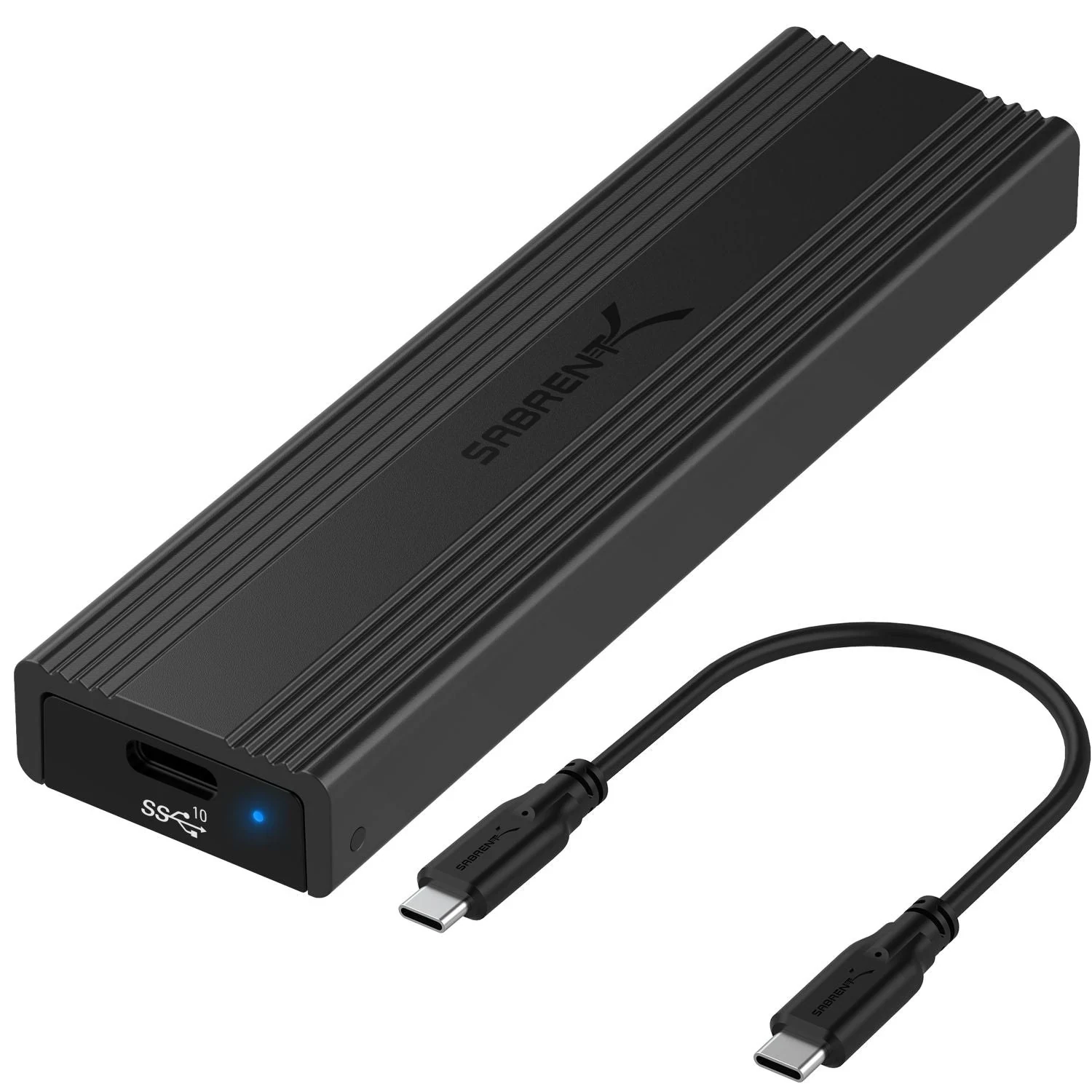
The EC-SNVE is sold as a tool-free enclosure. Sabrent's guide says to disconnect the USB cable before opening it, press the release and rotate the aluminum cover open without forcing it away from the ABS frame. That is useful when assessing the complete enclosure you need: the housing, its working opening mechanism and the correct internal drive retention all belong in the purchase. Do not assume the tiny screw retained from the old motherboard replaces a missing enclosure-specific fastener.
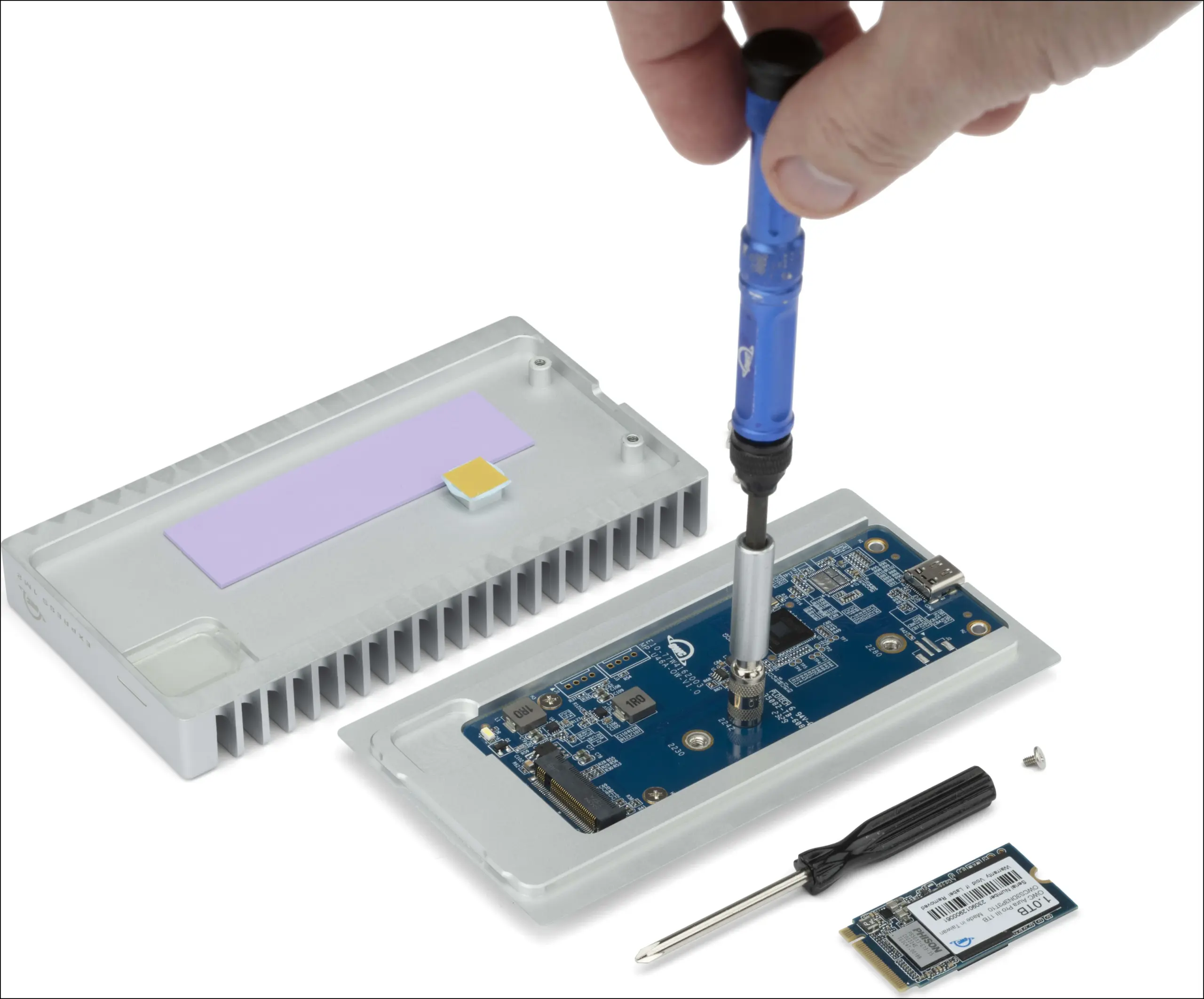
The Express 1M2 follows a different assembly method. OWC describes two case screws, a bottom tray that slides away from the rubber foot, and a drive post initially positioned for a 2280 SSD. The enclosure-only package includes a screwdriver. A 2280 drive uses the existing post position and its drive screw; a 2242 or 2230 drive needs the post relocated to the corresponding marked position.
That relocation requires a 5 mm hex socket that is not included. The supplied screwdriver is not the complete tool requirement for a shorter SSD. In OWC's short-drive installation photograph, the blue-handled socket tool acts on the post, while the black screwdriver lies beside the enclosure. The photograph shows the operation; it does not add the blue tool to the package contents.
After the drive is seated and secured, OWC's instructions align the thermal pad over the SSD, close and secure the case, then attach the rubber foot over the screw recess. Retain the intended pad, drive screw, case screws and foot when buying a used enclosure. A bare shell and USB cable would leave important assembly pieces unresolved.
OWC's single- and double-sided support does not override its explicit exclusion of SSDs with heatsinks. If your old drive carries an attached heatsink, establish an appropriate supported configuration before ordering. Do not force the lid closed or improvise a pad stack to make the package look complete. Likewise, a motherboard heatsink that comes off separately should not automatically be included inside the new external housing. Check the retained SSD as it will actually be installed.
Read the Host Connection, Not Just the USB-C Socket
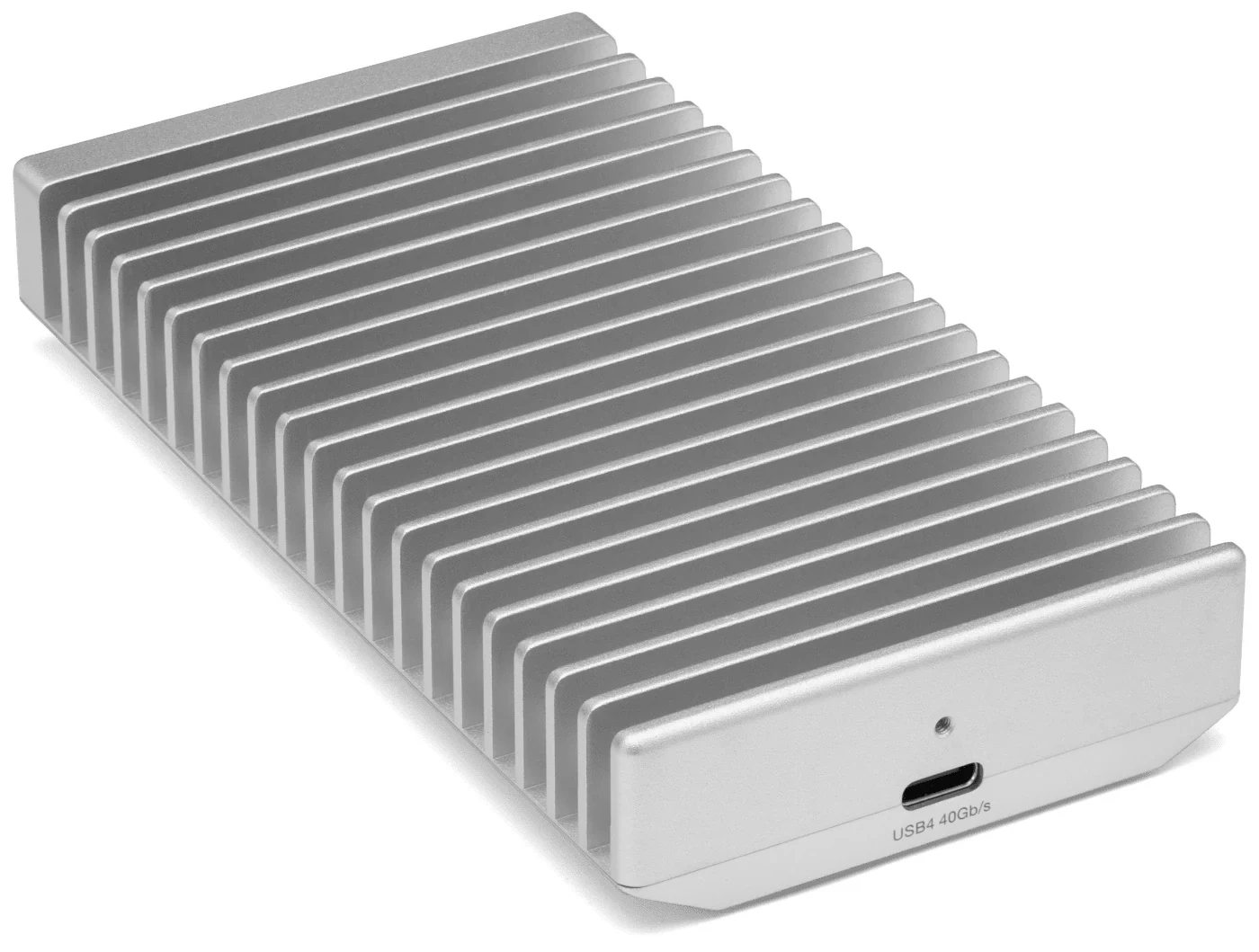
The EC-SNVE has a USB Type-C connection with a specified link capability up to 10 Gb/s. The Express 1M2 has a USB4 40 Gb/s port, but the mode it uses depends on the host. A USB-C socket on the existing PC does not by itself establish a 40 Gb/s connection.
| Existing host connection | EC-SNVE purchasing implication | Express 1M2 purchasing implication |
|---|---|---|
| USB-C with a documented 10 Gb/s data connection | Matches the enclosure's listed USB link class | OWC lists operation as USB 10 Gb/s |
| USB4 40 Gb/s on a PC | The enclosure itself remains a 10 Gb/s design | OWC lists USB4 40 Gb/s operation |
| Thunderbolt 4 on a PC | Check the host's USB support; no USB4 capability is added to this enclosure | OWC's connection table lists USB4 40 Gb/s operation |
| Thunderbolt 3 | Confirm the host's supported USB connection | OWC's manual specifies operation up to USB 10 Gb/s |
These are interface-selection conditions, not promised file-transfer results. The SSD you retain, its workload and the complete connection still matter. In particular, do not read OWC's broad Thunderbolt compatibility wording as a promise of 40 Gb/s operation on a Thunderbolt 3 host. Its manual expressly states the USB 10 Gb/s limitation for that route.
Check the PC or motherboard documentation for the exact port you plan to use, including a front-panel port if that is your intended connection. Note any intervening dock or hub. For a desktop with only a suitable 10 Gb/s connection, the Express 1M2's USB4 label does not turn that connection into 40 Gb/s. Its other compatibility conditions may still make it a usable choice, but the interface alone does not justify assuming a higher transfer mode.
The rear OWC product view shows the USB4 40 Gb/s port on the enclosure. Match it with the host specification and an appropriate cable, rather than identifying the connection solely from its shape. Keep advertised link rates separate from any expectation about how quickly your old drive will copy a particular folder.
Check Cable Reach and Bus Power as Part of the Order
Sabrent lists an eight-inch USB Type-C to Type-C cable and a user manual with the EC-SNVE. Its guide identifies the enclosure as bus powered, without a separate external supply. OWC supplies a 0.3 m, approximately 12-inch, USB4 cable with the Express 1M2; its current product page specifies that cable for 40 Gb/s.
Those are short connections. Before ordering, decide where the enclosure will rest and which port it will reach without hanging from the cable. If you need a replacement length, select a data cable suitable for the intended connection and power requirements. Do not assume an existing charging cable provides the required data capability. Neither listed package gives you a USB-A cable, so a retained Type-A-only host needs its own connection checked rather than an assumed in-box solution.
Bus power also needs an SSD-specific check. OWC warns that some high-power-draw NVMe drives can require more power than the Express 1M2 supplies. A drive's supported length and NVMe protocol therefore do not establish that its power requirements are satisfied. Resolve the exact drive and host combination before relying on the empty enclosure.
OWC suggests considering a capacity solution for high-power-drive users. That means a populated product rather than automatic reuse of your existing SSD. It is a different purchase outcome: useful to investigate if you want a complete external drive, but it does not by itself solve the original task of retaining the old module. Nor should an unverified hub or cable change be presented as a guaranteed fix for insufficient power.
For initial connection planning, identify a documented compatible host port and the included cable before introducing additional accessories. This keeps the proposed purchase specific. It does not require replacing the desktop, motherboard or SSD merely because one connection detail remains unknown.
Preserve the Difference Between an Old Data Drive and a New Blank One
Sabrent's guide lists Windows 7 or later, Mac OS 10.5 or later and Linux, and its current FAQ confirms macOS and Linux communication through standard protocols. OWC's current support manual lists Windows 10 or later for PCs and macOS 10.13 or later for Macs. Check the current requirements for the operating system you will actually retain; an older published minimum is not a promise of support for every later release or host configuration.
Separate that host compatibility check from the SSD's existing file system. Sabrent's guide has a specific section about using an SSD that already contains data. It explains that such a drive can appear with its existing file system, while a file system from another platform may not be accessible on Windows. Failing to see usable files does not automatically establish that the enclosure's SATA or NVMe bridge is incompatible.
For a drive containing files you want to keep, do not treat an initialize, erase or format prompt as a required installation step. First identify the drive, its existing file system and the host's ability to access it. Keep another copy of important files before making changes. The enclosure decision should preserve the data-use requirement alongside the physical SSD.
OWC's factory-populated Express 1M2 is a separate case: its manual says that version arrives formatted as APFS for Mac use. The same section explains that Windows, ChromeOS and Android users need different formatting to use that Mac-formatted device. That instruction concerns the supplied, preinstalled volume; it is not an instruction to erase a retained SSD merely because you have put it in an empty Express 1M2.
Once a compatible external drive is in use, follow the operating system's eject or unmount procedure before disconnecting it, as OWC's manual directs. The purchasing comparison does not require changing firmware, cloning a disk, altering a cache policy or formatting the old drive. Those are separate operations with their own purposes and prerequisites.
Order the Complete Match for the Drive You Already Own
An M.2 SATA owner should start with the EC-SNVE's dual-protocol support and verify the exact length and physical assembly. An NVMe owner keeping a 2260 module also has an explicitly listed length in the Sabrent specifications, whereas the Express 1M2's supported list names 2230, 2242 and 2280. Neither choice should be made from the M.2 label alone.
For a bare 2230 NVMe drive and an appropriate USB4 desktop, the Express 1M2 can remain a candidate, with the separate 5 mm socket included in your preparation. For a compatible bare 2280 NVMe drive, its prepositioned post avoids that relocation requirement, while the host mode, cable, operating system and power checks still apply. Check the exact SSD model against those conditions before completing the order.
Before checkout, your order should account for the enclosure's complete hardware, the correct mounting position, any missing tool, a usable cable route, a supported host mode and sufficient power. Also decide whether you are buying an empty enclosure to retain your old SSD or a populated product that replaces that plan. If the SSD has an unresolved heatsink, sidedness or power condition, settle that specific detail first. The right enclosure is the one that keeps the drive usable as part of a complete external system.