An old ITX case can remain useful for a short graphics-card upgrade, but the deciding measurement is more than length. ZOTAC's RTX 4060 SOLO, RTX 5060 SOLO and Palit's original RTX 4060 StormX are compact, full-height, dual-slot cards with one eight-pin power input. Their heights, thicknesses, power recommendations and display connections differ enough to change which one belongs in an existing build.
Start with the parts you want to keep: the enclosure, motherboard or riser, power supply and monitor cables. Match the exact card to those constraints before choosing by GPU generation. A shorter shroud cannot solve a side panel pressing against the power cable, and an eight-pin lead alone cannot establish that the power supply is suitable.
Measure Three Dimensions, Then Leave Space for the Connection
These are short cards with full-height brackets. A thin desktop requiring a low-profile bracket is a different starting point; the short length of these models does not turn them into low-profile replacements. Identify the exact product before measuring, because a similarly named revision can have different dimensions.
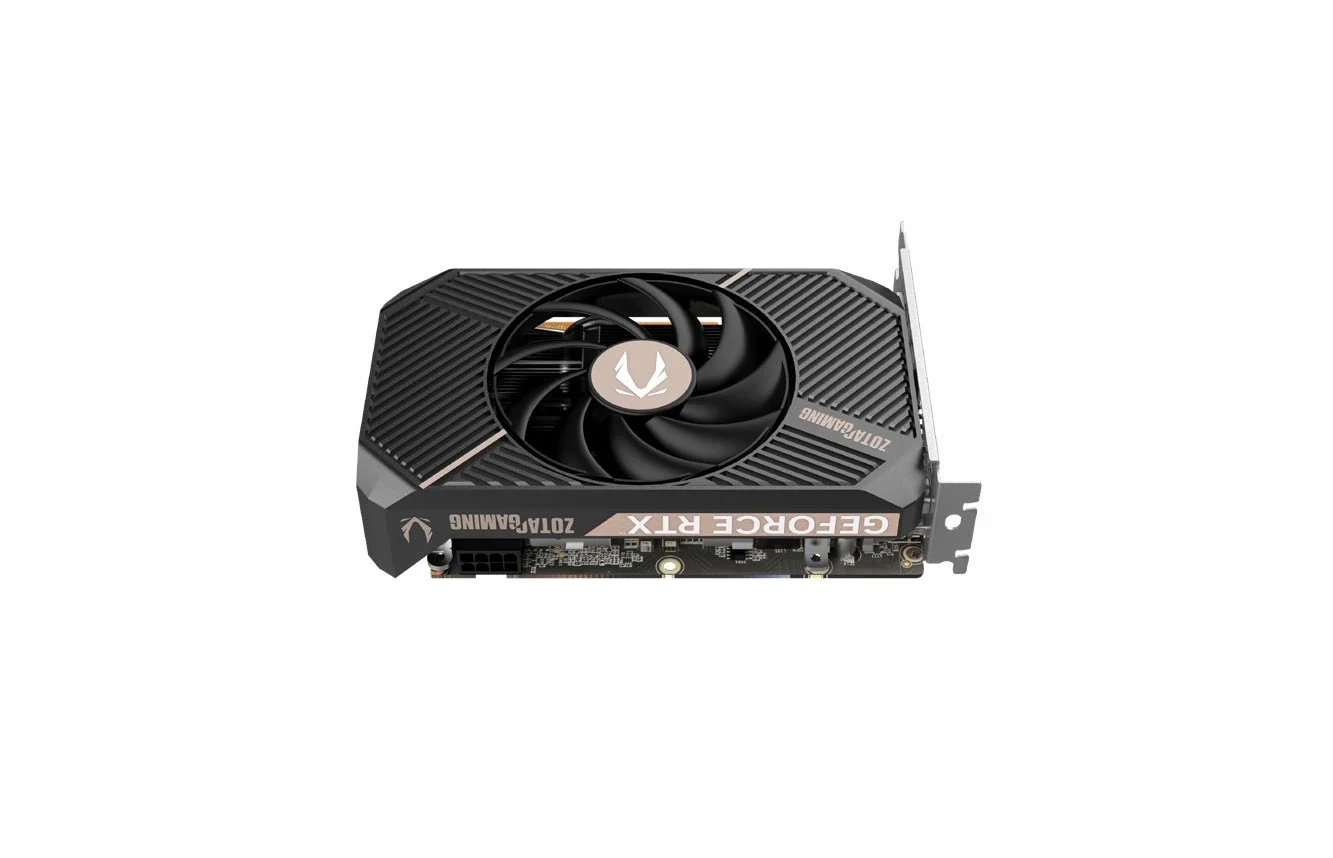
| Exact card | Product length | Product height | Product thickness | Slot description |
|---|---|---|---|---|
| ZOTAC GAMING GeForce RTX 4060 8GB SOLO, ZT-D40600G-10L | 163 mm | 117.6 mm | 39.5 mm | Two slots |
| ZOTAC GAMING GeForce RTX 5060 SOLO, ZT-B50600G-10L | 164.5 mm | 111.2 mm | 36.4 mm | Two slots |
| Palit GeForce RTX 4060 StormX, NE64060019P1-1070F | 169.9 mm | 123 mm | 38 mm | Two slots |
The ZOTAC measurements are the brochures' product dimensions; Palit labels its figures Board Size and separately specifies two slots. Use the millimeter figures together with the bracket and connector arrangement. ZOTAC also publishes packaging dimensions, which describe the shipping box rather than the card that must fit inside the PC.
With the computer shut down and disconnected from power, inspect the actual card chamber. Check the distance toward the front obstruction, the space toward the panel above the card's edge, and the clearance across the cooler. Include anything that will remain installed, such as a drive bracket or case fan. On a riser layout, follow the card's installed orientation rather than assuming the motherboard's orientation defines the available space.
Then check how the card gets into that chamber. An opening, crossbar or cable bundle may constrain the installation path even when the resting position appears large enough. Leave room for the power plug and its cable route, and for the cooler's intake to remain unobstructed. Do not interpret a published card height as a complete allowance for the connected power cable. There is no single extra number that resolves every enclosure and cable combination.
For example, suppose your measured space is approximately 170 mm long, 120 mm high and 40 mm thick. Those are illustrative owner's measurements, not a tested case specification. The StormX's 123 mm published height already exceeds that height window. Both SOLO models are smaller than all three figures, but the 4060 leaves only 0.5 mm against that thickness measurement. Even the 5060's smaller body still needs its plug, cable, mounting and installation path checked. Passing a subtraction exercise is the start of the fit decision.
Choose the Shape That Solves Your Particular Constraint
The RTX 4060 SOLO is the shortest of these three at 163 mm. The RTX 5060 SOLO is 1.5 mm longer, but its published body is 6.4 mm lower and 3.1 mm thinner. That makes the newer SOLO worth examining when panel or cooler clearance is your limiting dimension, even if the length limit has barely changed. It does not establish that the newer card will fit your case.
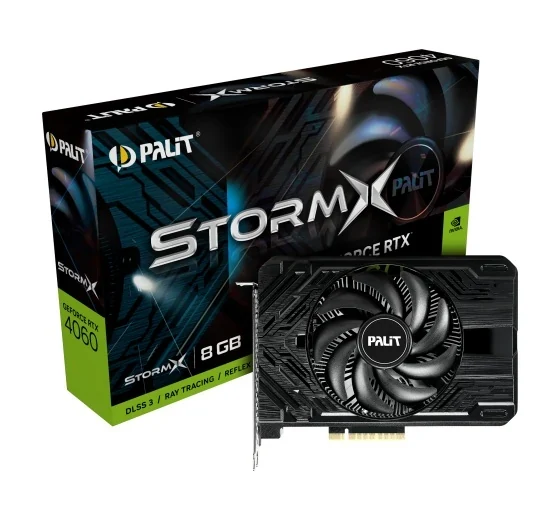
The original StormX occupies a different envelope: 169.9 × 123 × 38 mm. It is longer and taller than either SOLO, while thinner than the 4060 SOLO. An owner with comfortable height clearance might therefore keep it on the shortlist, whereas an owner constrained by a low side panel may eliminate it first. Check product code NE64060019P1-1070F; these figures are for the original RTX 4060 StormX, rather than an assumed StormX V1 or another generation.
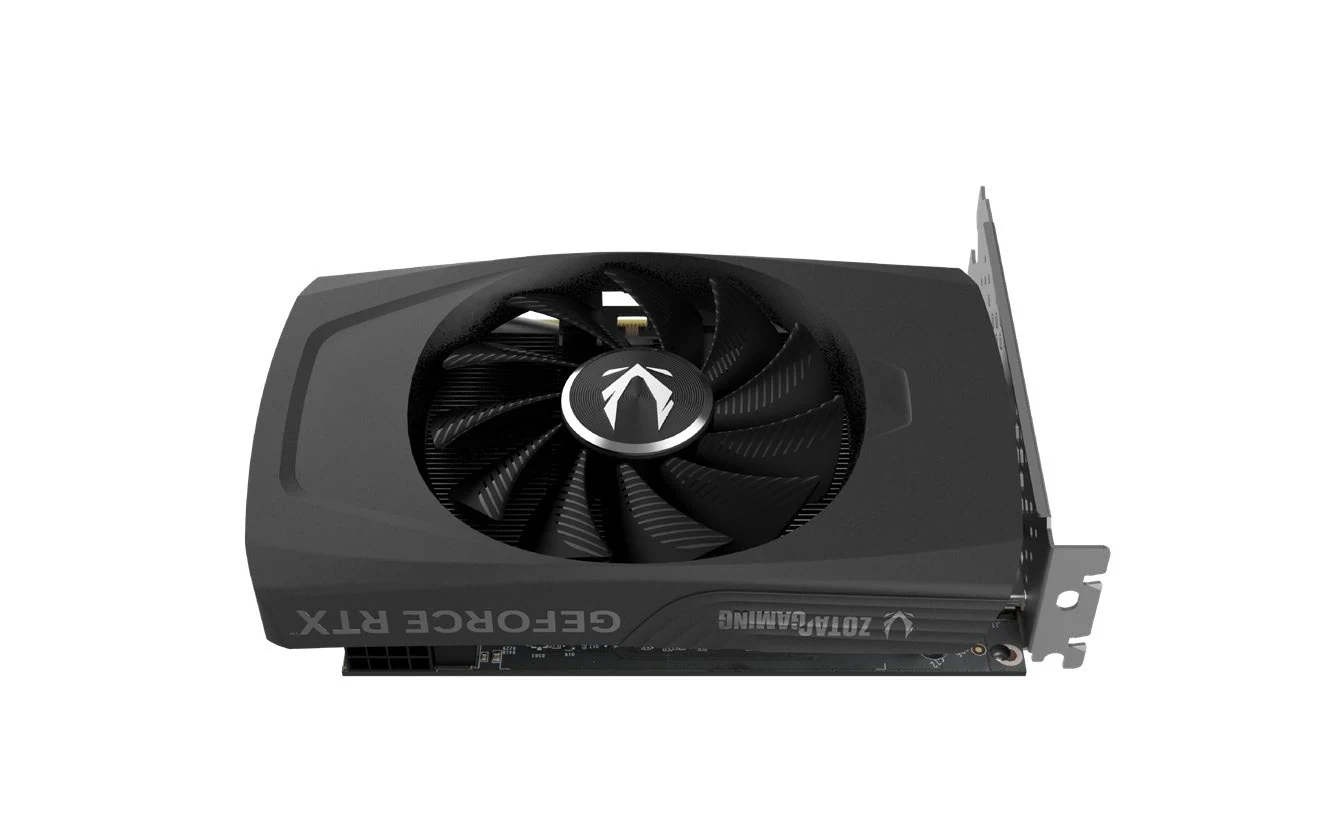
Product views help you recognize the single-fan cooler, full-height bracket and connector arrangement. They cannot establish scale against your own chassis. Use the printed dimensions for comparison, and keep the fan area clear of retained wiring. A single fan and compact cooler also do not establish which card will be quieter or run cooler in your enclosure.
Keep the Eight-Pin Lead Only After Checking the Whole Power Supply
All three cards specify one eight-pin supplementary power connection. That is useful for an existing build with an appropriate graphics-card power lead, but it is only one part of the electrical check. The manufacturer's card power figure and recommended system power describe different things.
| Item to compare | RTX 4060 SOLO | RTX 5060 SOLO | Original RTX 4060 StormX |
|---|---|---|---|
| Published card power | 115 W maximum consumption | 145 W maximum consumption | 115 W graphics-card power |
| Recommended system power supply | 500 W | 600 W | 600 W |
| Supplementary power | One eight-pin PCIe input | One eight-pin input | One eight-pin input |
| Published PCIe interface | PCI Express 4.0 ×8 | PCI Express 5.0 ×8 | PCI-E 4.0; lane count not stated on this specification page |
| Memory | 8 GB GDDR6 | 8 GB GDDR7 | 8 GB GDDR6 |
Keep the manufacturers' different PSU recommendations attached to their exact products. The StormX and 4060 SOLO both list 115 W card power, yet Palit recommends a 600 W system supply and ZOTAC recommends 500 W. Replacing those recommendations with a generic “RTX 4060 requirement” would hide a purchasing condition. The 5060 SOLO lists 145 W card power and a 600 W system recommendation.
Read the model label on the installed PSU and check its own documentation, capacity, compatible leads and condition against the complete system. An eight-pin connector is not evidence that every supply attached to one is suitable. Identify the graphics-card power lead correctly; do not assume that an unverified cable or adapter resolves the requirement. For a modular supply, retain only a cable confirmed for that exact PSU rather than borrowing one because its connector fits.
Finally, check the cable in its working position. A compatible lead that cannot reach, or that must be trapped against the panel to close the case, does not complete the upgrade. Resolve the route before ordering. If the old PSU cannot meet the selected card's requirements, include a compatible replacement and its physical fit in the decision rather than treating the GPU as the only purchase.
Check Your Existing Monitor Leads Against the Actual Outputs
Both the 4060 SOLO and original 4060 StormX provide three DisplayPort 1.4a outputs and HDMI 2.1a connectivity. The 5060 SOLO instead lists three DisplayPort 2.1b outputs with UHBR20 and one HDMI connection supporting the HDMI 2.1b specification. All three list support for up to four displays.
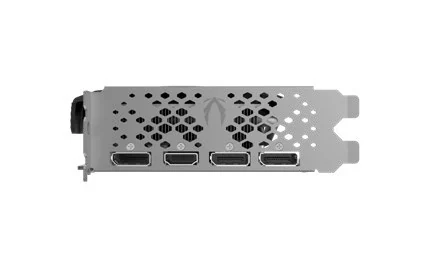
The 4060 SOLO rear-bracket view shows three DisplayPort sockets and an HDMI socket. The 5060 SOLO also lists three DisplayPort outputs and one HDMI output, but their published interface capabilities differ. Read the exact model's specification alongside the picture; the familiar connector outline does not tell you which DisplayPort generation is implemented.
For the 4060 SOLO, ZOTAC lists DisplayPort output up to 7680 × 4320 at 60 Hz and HDMI support for 4K at 120 Hz HDR or 8K at 60 Hz HDR. For the 5060 SOLO, the brochure lists DisplayPort up to 4K at 480 Hz or 8K at 165 Hz with DSC, and HDMI up to 4K at 480 Hz HDR or 8K at 120 Hz HDR with DSC. Preserve those DSC conditions when considering the higher modes.
Before replacing monitor cables, write down the actual display model, its usable inputs and the resolution, refresh rate and HDR mode you want. Confirm that combination through the monitor and cable specifications as well as the card's. A card's maximum output mode does not promise that an existing display accepts it, that four displays run at every listed maximum together, or that a game renders at the output refresh rate.
If the existing monitor's required mode is already covered by a 4060's outputs, a newer port specification alone need not decide the purchase. If the desired display setup specifically needs the 5060's documented output capabilities, make that an explicit requirement and verify the complete connection. Neither SOLO's listed output set includes DVI or VGA; an old monitor needing one of those connections requires a separate, correctly matched solution.
Verify the Old Motherboard, Riser and Software Before Ordering
The SOLO brochures identify an eight-lane PCIe link, with Gen 4 for the 4060 and Gen 5 for the 5060. Palit's adopted original StormX specification page states PCI-E 4.0 without an electrical lane count. Keep that distinction rather than filling the table from another 4060 model.
For your retained motherboard, establish which slot is intended for the graphics card and what configuration it actually provides. If the enclosure uses a riser, identify that part too and check the board, riser and card combination with the relevant documentation. The card's advertised generation does not establish the link configuration an older host will supply. Do not attach a guessed frame-rate penalty or an automatic compatibility promise to an unspecified old ITX platform.
Both ZOTAC brochures list Windows 11 and Windows 10 64-bit, with the Windows 10 wording specifying version 1809 or later. They also list Game Ready and NVIDIA Studio drivers. Treat this as the products' published software compatibility information, rather than a promise about today's driver release or the support life of an old operating-system installation. Verify current software availability for the exact card and operating system before buying. Palit's specification page used here does not settle the corresponding operating-system requirement.
The ZOTAC box lists contain the graphics card and user manual. Do not budget on an unlisted power cable, adapter or monitor lead arriving with the card. For used or open-box stock, check the seller's actual package and exact model identity as well as its condition. The manufacturer brochure describes the product; it does not establish what a particular seller has retained.
Make the Purchase Conditional on the Parts You Can Retain
Keep the 4060 SOLO on the shortlist when its 163 mm length solves your case constraint and its height, thickness, power and monitor requirements also work. Consider the 5060 SOLO when its lower, thinner body or newer display outputs address a specific need, while allowing for its higher card power and 600 W system recommendation. Consider the original StormX when its taller, longer envelope fits and the complete offer makes sense in your market.
For any offer, verify the exact model, seller, package and applicable warranty arrangements. In particular, a Palit global product specification is not proof of United States stock or warranty coverage. Compare the real route available to you before treating it as an interchangeable retail choice.
Your final order should resolve the missing piece in a checked system. Keep an appropriate case, board, riser, PSU and display connection when their conditions are satisfied. If one essential item remains unknown—such as the installed cable clearance or the PSU's approved lead—settle that item first. The useful upgrade is the short card that works with the parts you are keeping, rather than the one that wins a length-only comparison.