Choose LIAN LI's 8.8-inch Universal Screen when you need several possible mounting routes, including 120mm or 140mm fan positions, adhesive placement, and an adjustable rail. Choose the 9.2-inch LCD Kit when you have the specifically supported O11 Vision-M and want its dedicated upper-front display arrangement. Both use a USB display route, so the decision begins with mounting compatibility rather than an available HDMI or DisplayPort socket.
Be precise about that second case name. The 9.2-inch product is an O11 Vision-M accessory, not a blanket upgrade for every chassis carrying an O11 label. A larger diagonal measurement does not make its mounting parts universal.
Compare the Screen with the Mounting Job
| Purchase detail | 8.8-inch Universal Screen | 9.2-inch LCD Kit |
|---|---|---|
| Product identity | US88v1; SM088X black / SM088W white | SM092VMX black / SM092VMW white |
| Intended mounting | Multiple positions and methods | O11 Vision-M upper-front display area |
| Resolution | 1920 × 480 | 1920 × 462 |
| Refresh rate | 60Hz | 60Hz |
| Listed brightness | 500 nits | 500 nits |
| Control software | L-Connect 3 | L-Connect 3 |
These are manufacturer specifications, not a side-by-side image-quality test. The 9.2-inch diagonal does not imply more vertical pixels; its listed vertical resolution is lower. The physical shape and intended position matter more than the diagonal when designing a readable sensor layout.
For example, a narrow display above the motherboard and a portrait display beside the case need different mounting space and different content layouts. Decide where you will read the screen from before choosing the product.
Fit the 8.8-inch Model Using Its Full Envelope
LIAN LI lists a 237 × 73 × 13mm bracket envelope for the universal model. Use the complete dimensions when checking the mounting area, then allow for the real bracket arrangement, cable exit, and any angle adjustment. The nominal screen diagonal is not a mounting template.
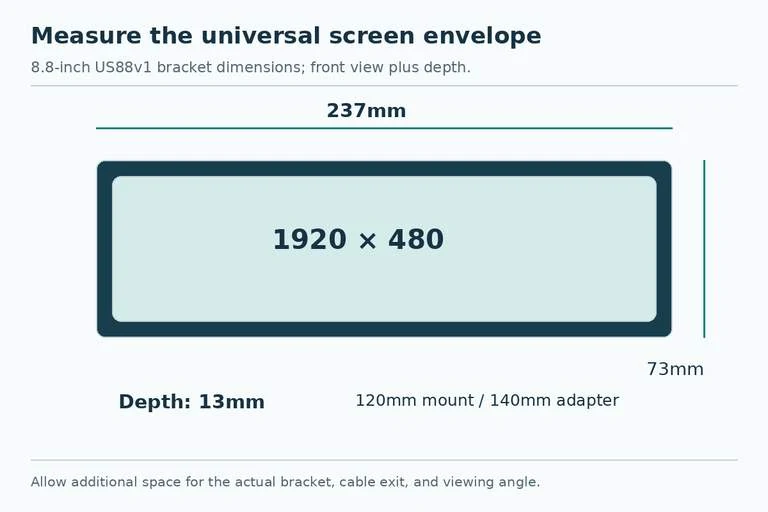
The included bracket fits standard 120mm fan mounts, with an adapter for 140mm mounts. That describes attachment compatibility; it does not mean the screen can occupy a fan position without affecting anything else. Check whether it blocks a fan, radiator, cable path, or access point that your build needs.
Its sliding rail and hinge offer adjustment, while adhesive mounting provides another route on suitable flat areas. Choose the method according to the surface and final orientation. Follow the specified bracket positions and screws rather than improvising a fixing point; LIAN LI specifically identifies designated mounting positions and the manual's “h” screws.
Make a simple paper template of the stated rectangle. Hold it at the planned angle with the panel in place and view it from your normal seat. That inexpensive check can reveal a blocked corner or an awkward sight line before you buy. It also makes clear whether a portrait layout consumes space you need for another component.
Buy the 9.2-inch Kit for the Supported Case
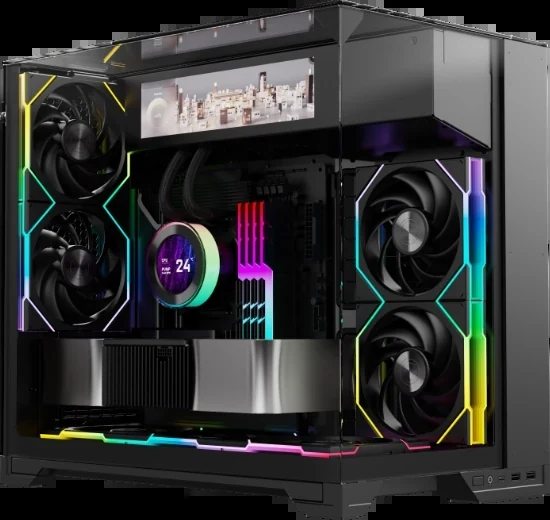
The 9.2-inch kit creates an upper-front display area in the O11 Vision-M. Confirm the exact case identity and accessory model before choosing black or white. If you own another O11 variant, do not infer support from the family name or attempt to resolve it merely by comparing screen dimensions.
This is the more integrated route when its intended position suits your build. It is less flexible as a purchase for an undecided case because the mounting arrangement belongs to a specific chassis. If the next case is still unknown, the universal model's documented mounting alternatives offer a more relevant starting point, provided you can establish a suitable location.
Check the kit's current manual for its installation and supplied USB cable arrangement. Do not transfer every cable or bracket detail from the 8.8-inch model to the 9.2-inch kit just because both use L-Connect 3.
Reserve the USB Connection Before Ordering
For the 8.8-inch model, LIAN LI explicitly offers connection through a motherboard nine-pin USB header or a rear Type-A port. Choose the route that is actually available after accounting for the AIO, fan controllers, lighting devices, and front-panel connections already installed.
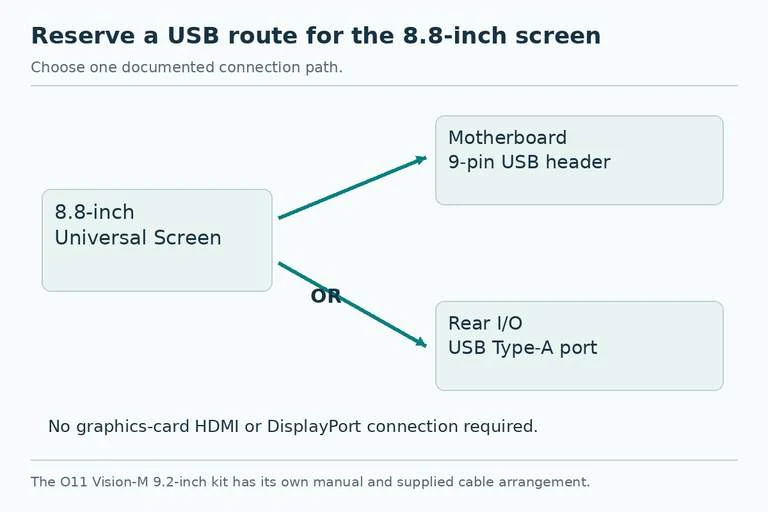
An internal route can keep the cable inside the chassis. An external Type-A route needs a practical cable path to the rear I/O. Check the supplied cable and the manual rather than assuming the small connector on the screen is itself a standard motherboard header plug.
The useful promise is that the screen does not consume one of the graphics card's display outputs. That does not establish zero CPU or GPU resource use, zero USB load, or performance equivalence to a directly connected monitor. Buy it to preserve the physical display port and provide the intended dashboard or secondary-screen function.
Choose the Operating Mode You Will Use
Both product descriptions support L-Connect 3 templates, custom themes, images or video, secondary-screen operation, and an offline clock mode. Select the relevant mode rather than assuming they all operate identically. A sensor dashboard, a Windows desktop extension, and a clock after shutdown are different jobs.
The offline clock still requires connected power. If your system removes the relevant USB power when off, verify the motherboard's supported power arrangement and settings before expecting that feature to remain available. The screen is not being described as a battery-powered clock.
LIAN LI lists support for up to six 8.8-inch units per system. That is a product support limit, not evidence that every motherboard has enough free USB connections, power, or convenient mounting space for six. Plan each connection and mounting position individually.
Place the Order Around the Mounting Route
For a supported O11 Vision-M build with a desired upper-front display, start with the matching 9.2-inch kit and follow its manual. For another chassis or a desktop-side display, start with the universal 8.8-inch model, a measured location, and a documented fixing method.
Finish the cart check with the exact model, color, bracket parts, USB route, intended mode, and software support for your system. Preserving a GPU output is the common benefit; securing the right screen in a useful, readable position is what makes either purchase successful.