The MINISFORUM BD795i SE is a possible home for a retained graphics card, desktop power supply and two suitable NVMe SSDs, but it changes the core of the build. Its Ryzen 9 7945HX is built in and cannot be replaced. Your existing desktop CPU does not move across, and ordinary desktop DDR5 DIMMs do not fit its two DDR5 SODIMM sockets. Cooling also needs a fresh inventory: the supplied CPU-heatsink arrangement needs a suitable fan, while the SE model omits the SSD heatsink, SSD fan connector and internal antenna adapter cables.
Start with those replacements before deciding whether retaining the GPU and PSU makes the purchase worthwhile. A 170 × 170mm Mini-ITX outline establishes the motherboard's footprint; it does not establish that the completed cooling assembly, GPU and power cables fit your chosen small case.
1. Buy the Fixed CPU Platform as One Decision
BD795i SE combines the motherboard with a Ryzen 9 7945HX, specified as 16 cores and 32 threads. It is not an AM5 socketed desktop board onto which you transfer the old processor. MINISFORUM explicitly says the CPU cannot be replaced. Choose this board only if keeping that CPU as part of the platform suits the rebuild.
The first retention list should distinguish a direct candidate from a component needing a different arrangement. “Can retain” below means the component has a documented connection to evaluate, not that every physical model is approved.
| Existing component | Retention decision | What determines the result |
|---|---|---|
| Desktop CPU | Does not transfer | Board has a fixed 7945HX |
| Desktop DDR5 DIMMs | Replace | Two SODIMM sockets, not desktop DIMM sockets |
| Discrete GPU | Candidate to retain | One PCIe 5.0 x16 connector; card, case and power compatibility |
| Desktop PSU | Candidate to retain | Required 24-pin motherboard and 8-pin CPU connections, GPU needs and case fit |
| Two 2280 NVMe SSDs | Candidates to retain | Two onboard PCIe 4.0 x4 storage positions and adequate thermal clearance |
| SATA drives | No direct onboard path listed | The specified storage sockets are NVMe; preserving SATA drives requires a changed storage plan |
| Desktop cooler or AIO | Do not assume transfer | No established replacement-mount compatibility for that cooler on this board |
These decisions follow the specified sockets, power connections and supplied cooling arrangement. They do not imply that custom modifications or external storage arrangements are impossible; those would need their own verified parts and space.
2. Reselect Memory by Its Physical Format and Supported Configuration
The board uses two DDR5 SODIMMs, with up to 96GB specified and no ECC support. MINISFORUM's BD795i SE product fields list memory up to 5200MT/s. A desktop DDR5 label alone therefore does not establish reuse: check that the modules are actually SODIMMs and that their capacity and configuration suit this board.
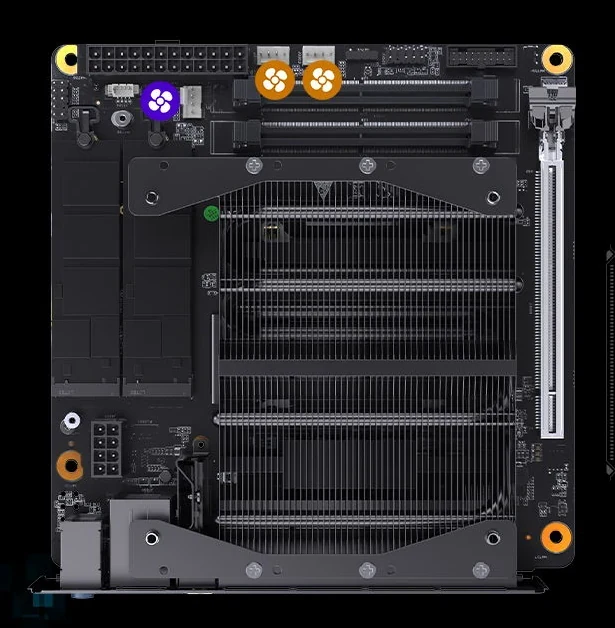
The top-down manufacturer view makes the compact memory arrangement visible beside the power connector and fan headers. Those are not the long desktop DIMM sockets found on a conventional socketed Mini-ITX board. Choosing this platform can consequently require new memory even if your current desktop already uses DDR5.
For example, a retained four-module desktop kit cannot be moved into two SODIMM sockets. Even an existing two-module desktop kit fails the form-factor test. Conversely, a suitable pair of SODIMMs from another compact system may be worth checking before buying replacements; match the exact modules rather than relying on their original machine's advertised speed.
Do not base the budget on retaining EXPO settings or achieving an overclocked kit rating. MINISFORUM's FAQ says CPU and memory overclocking through PBO/EXPO is unsupported. Treat the published specification as the purchasing reference and confirm the actual module configuration.
3. Retain Two NVMe Drives Only After Checking the SE Cooling Omissions
The two onboard storage positions support M.2 2280 NVMe SSDs at PCIe 4.0 x4. The original manual specifies the 2280 size, M-key connection and PCIe 4.0 x4 mode; the BD795i SE technical fields agree. A nearby marketing sentence mentioning PCIe 5.0 SSDs does not change those documented storage connections. The board's PCIe 5.0 x16 card connector is a separate specification.
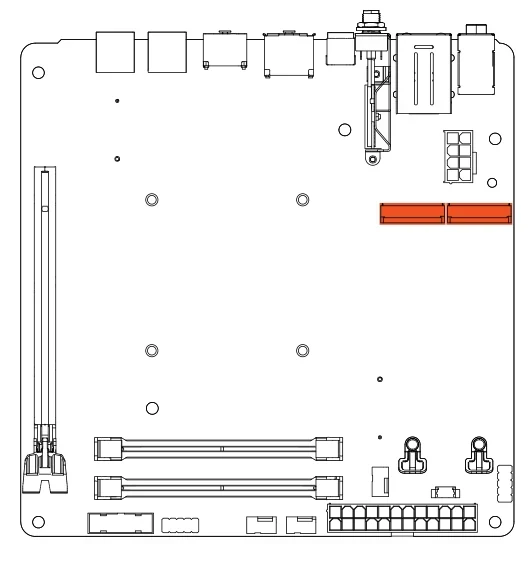
The manual's position diagram highlights the two storage connectors near the CPU-power area. Use it to plan access before the GPU and case wiring obstruct your hands. Match each retained drive's actual length, protocol and heatsink dimensions to its location. An M.2 SATA SSD does not become NVMe because it is also an M.2-shaped device.
The SE omits the SSD heatsink and SSD fan connector, according to MINISFORUM's explicit model note. The standalone specification image still lists an SSD fan header, but the model note and the manual's layout support planning around the three CPU/system fan headers instead. Do not count on a dedicated SSD fan connection when purchasing cooling parts.
Budget for suitable SSD thermal provision if the retained drives need it, then check clearance against the actual CPU heatsink, GPU and enclosure. A drive already carrying a large heatsink needs a physical fit check; a bare drive needs an appropriate cooling plan. Neither the NVMe link specification nor an illustrated SSD proves that a particular drive will stay at a particular temperature.
For SATA storage, the listed motherboard connections do not provide a direct SATA-drive path. If those drives must remain, resolve the alternative connection and mounting arrangement before buying. Adding a storage controller would also compete for the board's single card slot if the GPU occupies it.
4. Keep the GPU and Desktop PSU Only as a Complete Pair
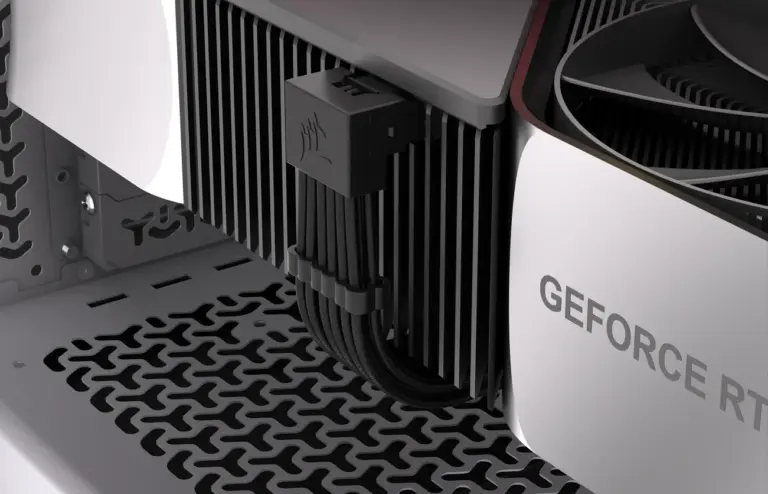
BD795i SE provides one PCIe 5.0 x16 connector. A compatible retained GPU is a candidate for that position, subject to the card's physical size, case support and power requirements. There is no second onboard card connector to assume for another full-size adapter.
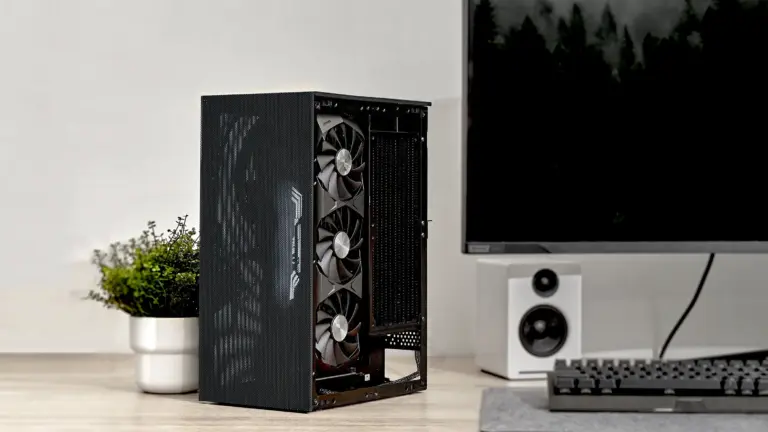
Check the exact GPU length, thickness and connector clearance in the selected case. If the case uses a riser, its compatibility belongs in the same decision. A motherboard's slot generation does not establish the performance or compatibility of a particular GPU-and-riser combination.
Power comes from a desktop PSU, using the motherboard's 24-pin main-power connection and 8-pin CPU-power connection. The manual identifies both locations. The fixed mobile processor does not make this a laptop-brick or USB-C-powered board.
A retained PSU must still have adequate capacity and the appropriate connections for the entire system, including the graphics card. Verify the CPU-power lead separately from the GPU's power leads, and check cable reach once the PSU is mounted in the small case. Keeping an electrically suitable PSU is useful only if its body and cable exits leave room for the rest of the build.
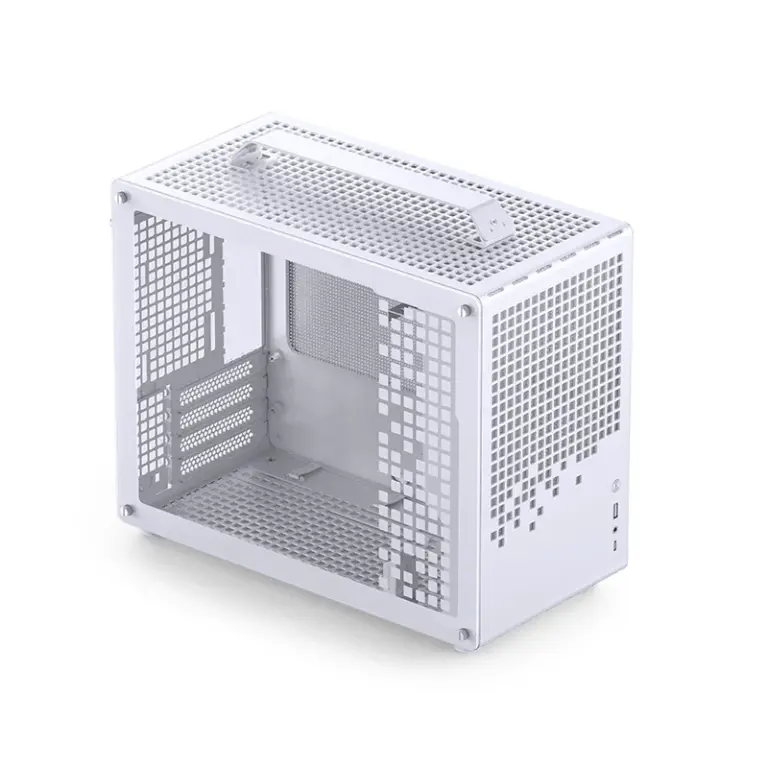
This is where retaining parts can change the case choice. A larger desktop PSU and a thick GPU may point toward a roomier Mini-ITX enclosure rather than the smallest chassis that accepts a 170mm board. Decide from the complete assembly rather than the motherboard footprint alone.
5. Complete the Supplied CPU Cooling Arrangement
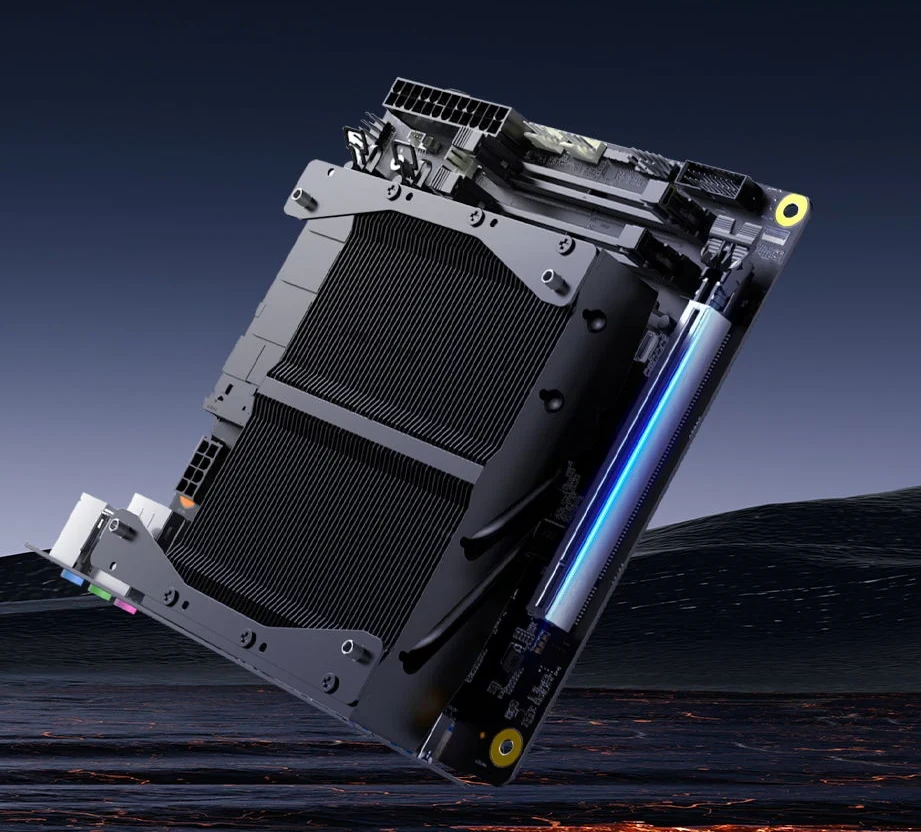
The manufacturer hardware views show a large CPU heatsink and fan-mounting brackets. The original package diagram also lists the rear I/O shield, fan brackets, mounting screw set and manual. Check that those parts are present in the actual unit you buy, especially when comparing packages.
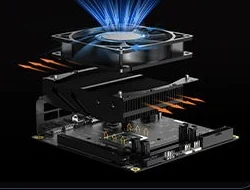
MINISFORUM's BD795i SE feature graphic advertises 120mm fan installation and illustrates a separate fan above the heatsink assembly. Use that as the nominal mounting provision, then check the selected fan's holes, thickness and installed clearance against the actual brackets and case. The drawing does not establish that every 120mm fan or thickness fits.
The useful height figure needs careful interpretation. MINISFORUM's FAQ gives 37mm for the maximum thickness of the motherboard and heatsink without a fan. It is not the completed assembly's height and should not be compared directly with a case's CPU-cooler clearance using a different reference point. Include the chosen fan and the actual mounting stack when checking the enclosure.
The manual rates CPU_FAN, SYS_FAN1 and SYS_FAN2 at 1A and 12W each. Check the selected fan's demand against its header. If several fans share one header through a splitter, account for their combined demand rather than treating each fan as having its own separate allowance. MINISFORUM describes fan adjustment through BIOS; that is a control method, not a guarantee of quiet operation.
An existing desktop AIO or tower cooler should not be counted as reusable without confirmed mounting compatibility for this board. That is a purchasing uncertainty, not proof that every modification is impossible. The neighboring BD795M's cooler instructions concern a different motherboard and do not establish a replacement mount here.
6. Treat Wireless as a Module-and-antenna Assembly
The wireless position is M.2 2230 Key E, with the BD795i SE product fields specifying PCIe. It is separate from the two 2280 NVMe storage positions. Check the intended wireless card's interface, physical format and supported drivers before counting it as a retained part.
A socket does not mean a complete wireless kit is supplied. MINISFORUM says the SE omits the internal antenna adapter cables. If you want Wi-Fi, inventory the actual module, compatible antenna leads and external antennas, along with the case's mounting provision. Confirm the connector ends on the chosen radio and the necessary cable length before ordering pigtails.
For a wired-only system, the specified rear 2.5GbE port may make those wireless purchases unnecessary. Make that decision from your intended connection, rather than buying a radio simply because the board has a spare Key E socket.
7. Match the Retained Case’s Front Ports to Actual Headers
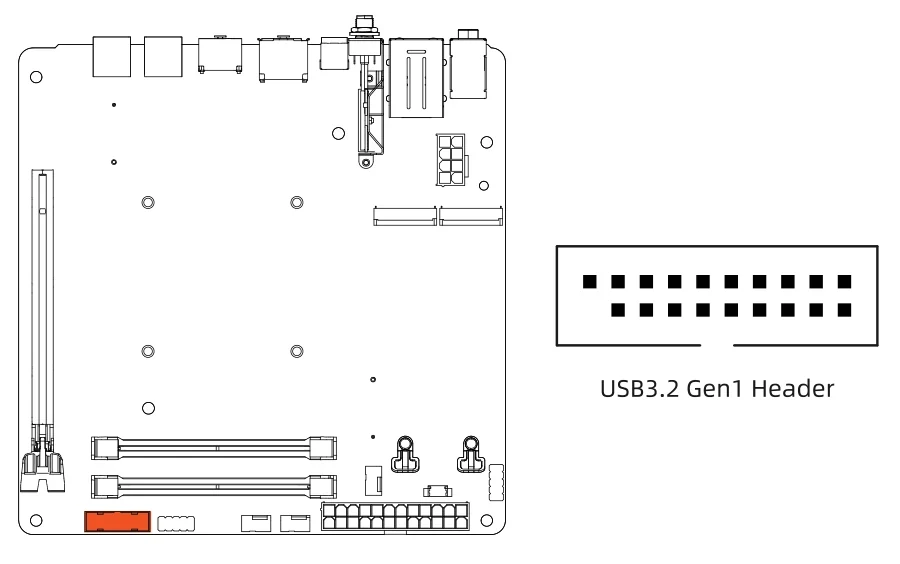
The internal front-USB connection is a USB 3.2 Gen 1 header, up to 5Gbps, shown in the original manual. The diagram identifies its position near the SODIMM end of the board and shows the keyed plug geometry. The board also lists front-panel audio and system-panel connections.
No front Type-C header is listed in the documented BD795i SE connections. If the retained case has a separate front Type-C lead, do not assume the rear Type-C port supplies an internal place to plug it in. Decide whether that front socket can remain unused or whether its operation is a fixed requirement that changes the motherboard choice.
At the rear, the BD795i SE specification lists one USB 3.2 Gen 2 Type-C port with DisplayPort alternate mode, two USB 3.2 Gen 1 Type-A ports and two USB 2.0 Type-A ports, plus HDMI 2.1 and DisplayPort 1.4. These are the model's own specification entries, not the adjacent BD790i fields.
Keep connector shape, data mode, display support and charging separate. The rear Type-C listing does not establish USB4 or that the board takes its power through that socket. Put the actual display and peripheral connections on the retention list alongside the front-panel leads.
8. Price One Complete Rebuild Rather Than a Bare Motherboard
For example, a desktop owner keeping a compatible GPU, suitable PSU and two 2280 NVMe drives may have a workable starting point. The remaining list still includes SODIMMs, the appropriate CPU fan, any required SSD cooling and the actual package hardware. The old desktop CPU and its unverified cooler are not savings to count twice.
| Remaining item | Resolve before purchase |
|---|---|
| Memory | Exact supported SODIMM pair and required capacity |
| CPU cooling | Actual brackets, suitable fan, header load and complete installed height |
| SSD cooling | Thermal provision and clearance for each retained drive; no assumed SE SSD fan header |
| Wireless, if required | Compatible radio, correct antenna leads and antennas |
| Case and wiring | GPU/PSU space, power-cable reach, I/O shield and front-port expectations |
BD795i SE makes sense when you want its fixed CPU platform and the complete replacement list still suits the build. If retaining the desktop CPU, ordinary DIMMs, existing AIO or a working front Type-C port is essential, those requirements deserve resolution before ordering. Keeping the GPU and PSU can be worthwhile, but only after the memory, cooling and missing accessories are part of the same purchase decision.