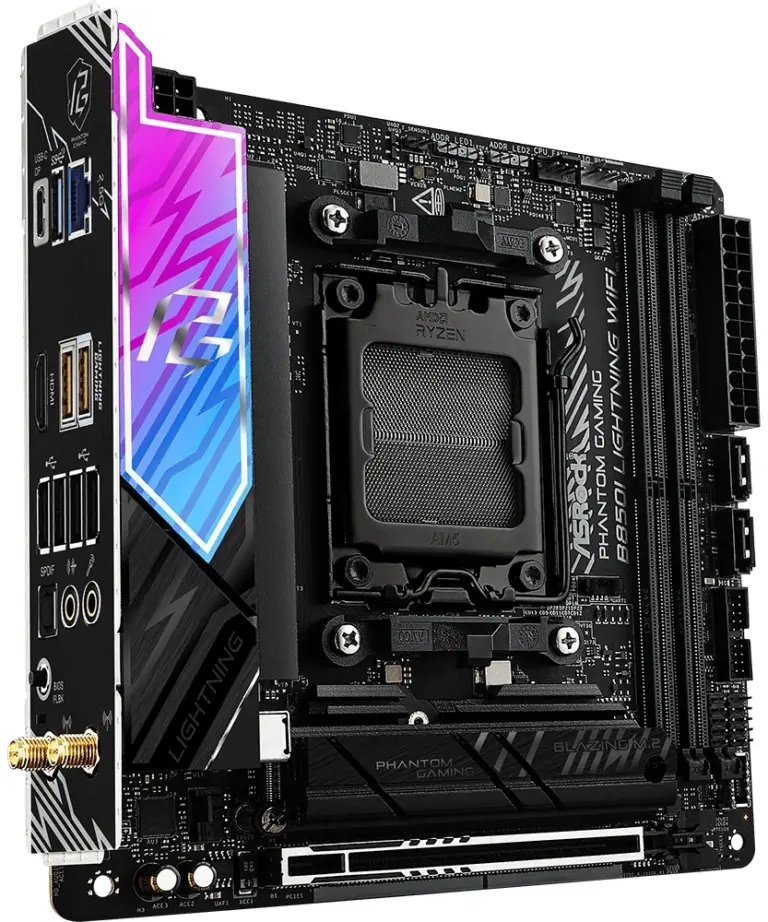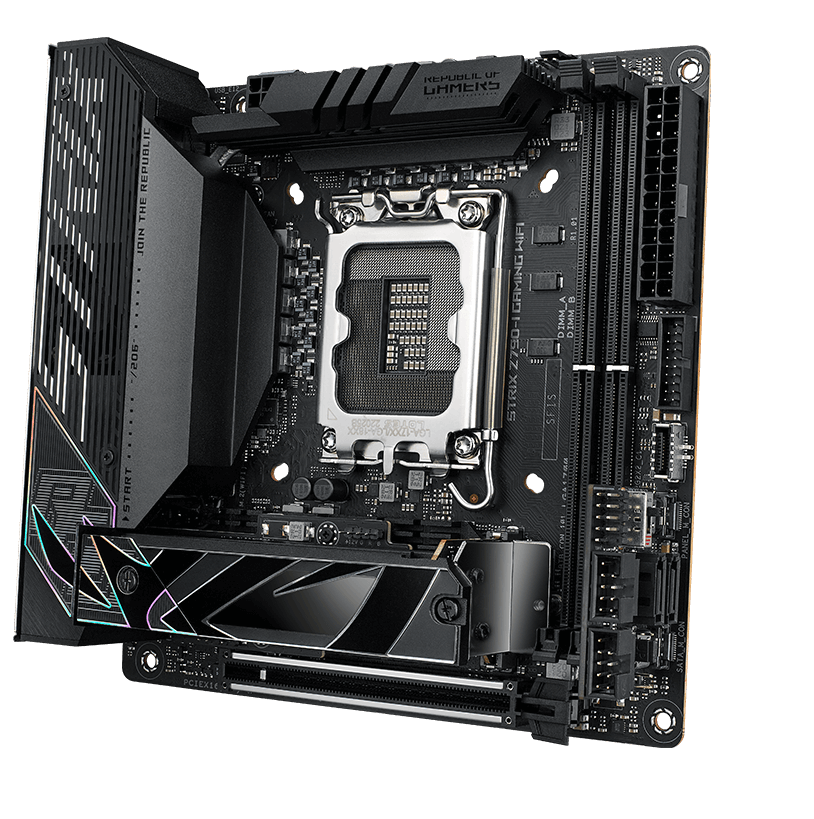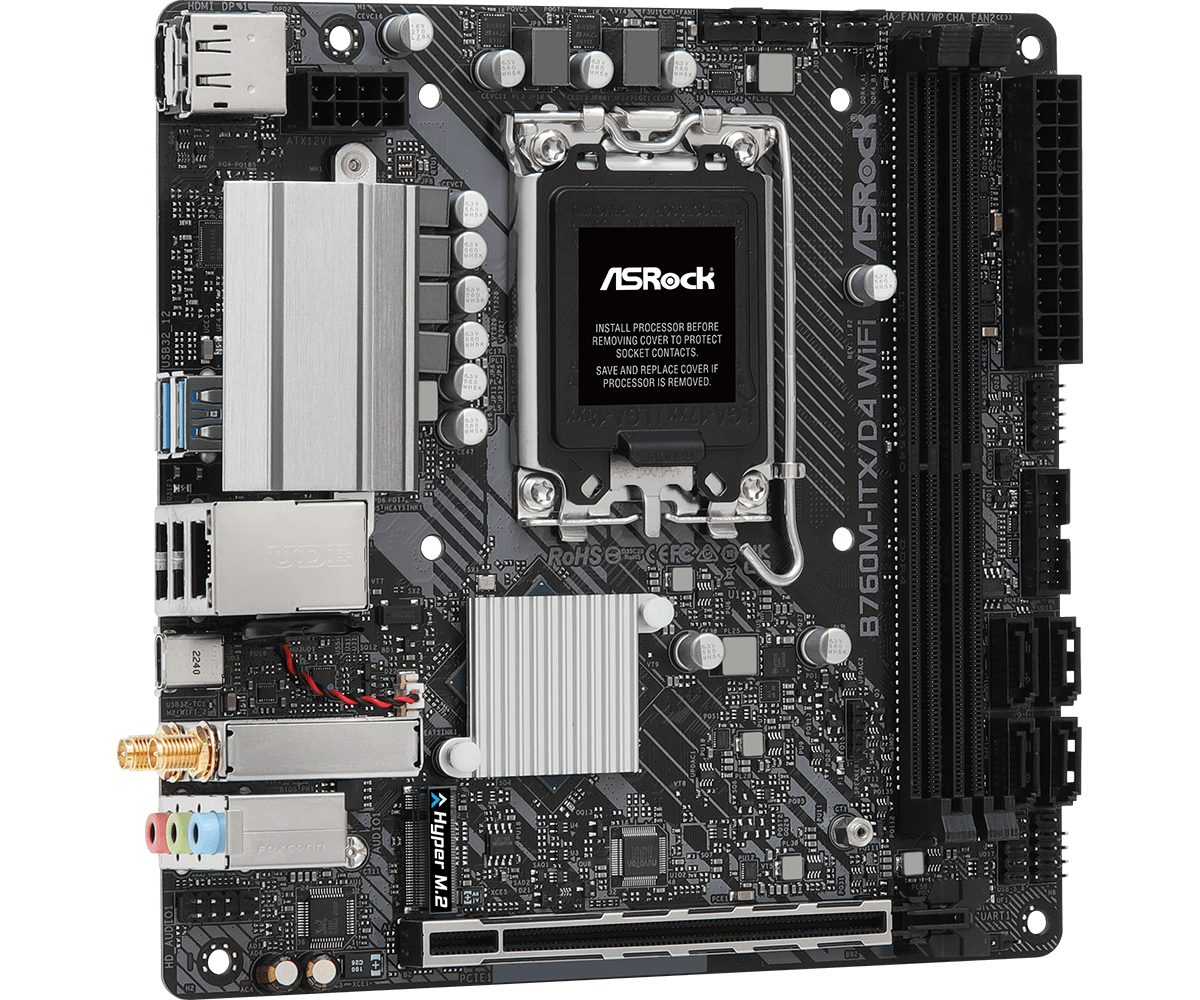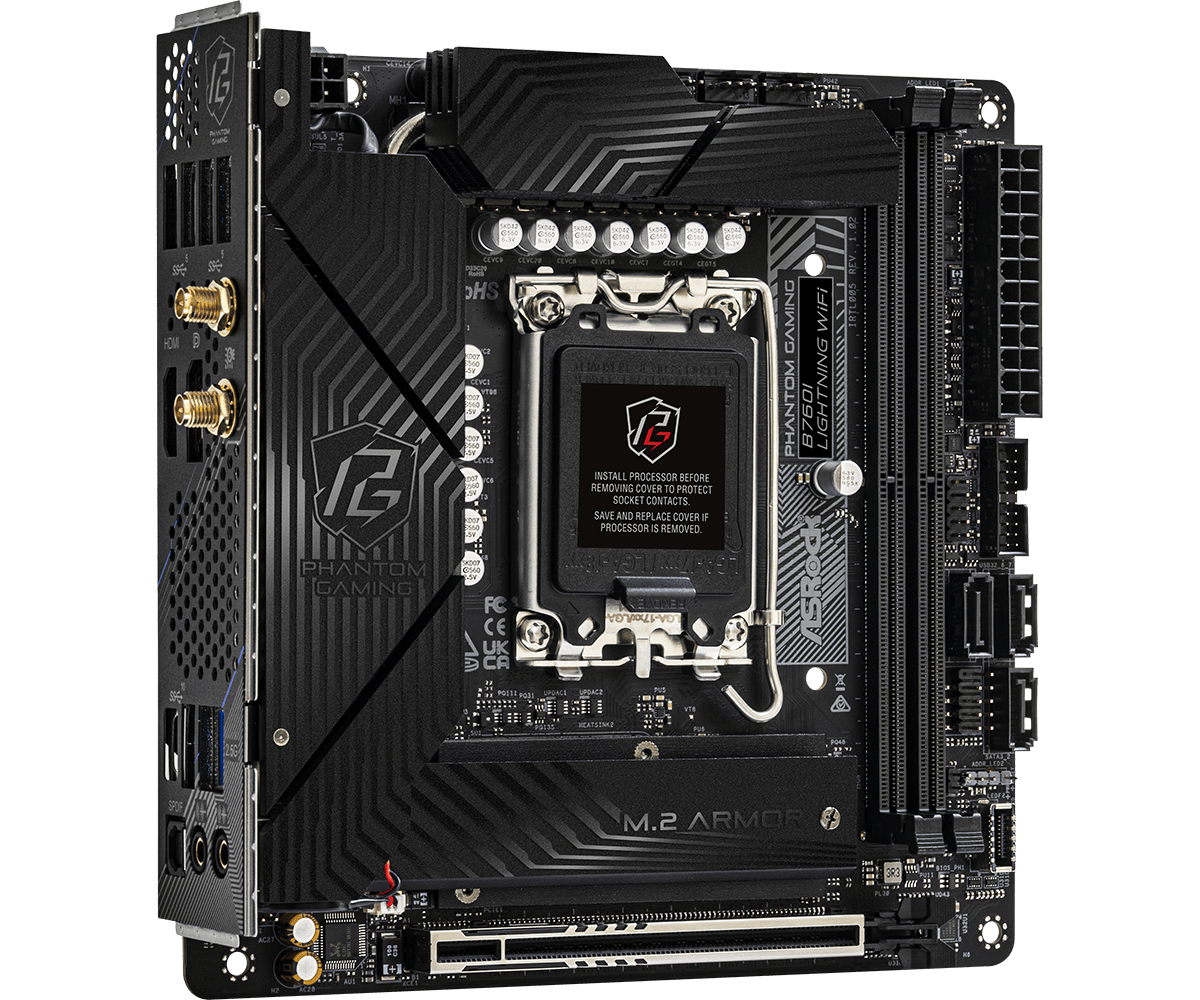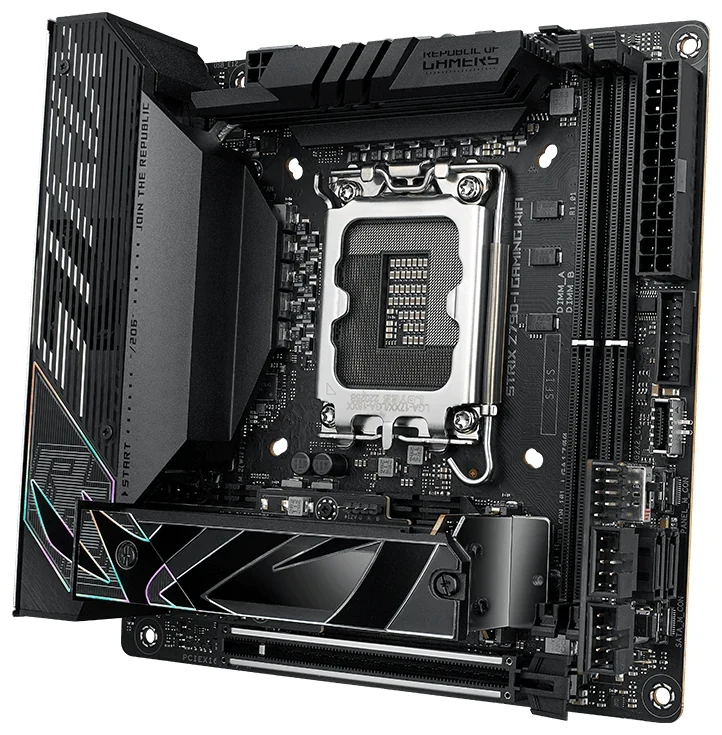
Keep DDR4 if your existing memory still meets your needs and the smaller motherboard also accommodates your drives and case wiring. Among these three boards, the ASRock B760M-ITX/D4 WiFi is the DDR4 route. The ASRock B760I Lightning WiFi and ASUS ROG Strix Z790-I Gaming WiFi require DDR5, but offer two native M.2 storage positions and internal front USB-C connections. Those differences change which parts belong on the replacement list.
All three currently list support for 12th, 13th and 14th Gen Intel Core processors on LGA1700. Retaining that socket is only the starting point: check the exact processor and required BIOS before buying a board. Then compare the whole migration—memory, SSD lengths and interfaces, SATA drives, case ports and required accessories.
The DDR4 Route: B760M-ITX/D4 WiFi
The B760M-ITX/D4 WiFi has two desktop DDR4 DIMM sockets and a published maximum of 64GB. The “M” in this particular name does not make it a Micro-ATX board: ASRock specifies a 170 × 170mm Mini-ITX board. Its long expansion slot supports PCIe 4.0 x16.
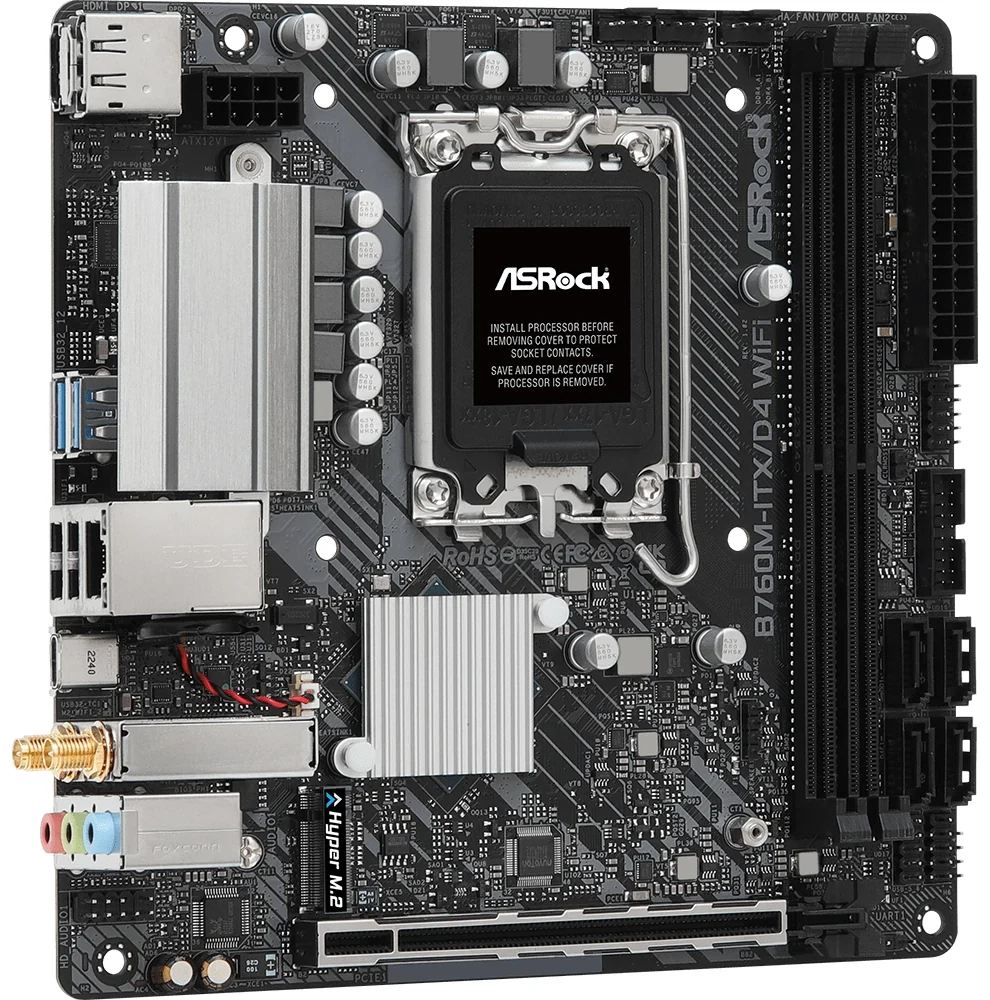
That makes it a sensible first candidate for an existing two-module DDR4 kit, subject to the exact kit's compatibility. Four modules cannot all move over. For example, transferring only two sticks from a four-by-16GB installation leaves 32GB; retaining 64GB would require a suitable two-module configuration. Counting sticks before choosing the board avoids treating “DDR4 compatible” as “all my memory stays.”
| Board | Memory sockets | Current published maximum |
|---|---|---|
| B760M-ITX/D4 WiFi | Two DDR4 | 64GB |
| B760I Lightning WiFi | Two DDR5 | 128GB |
| ROG Strix Z790-I Gaming WiFi | Two DDR5 | 96GB |
These are board limits, not promises for every processor, kit or overclocked profile. The current B760I page lists 128GB where its older manual says 96GB; ASUS currently lists 96GB where the 2022 Z790-I manual says 64GB. Use the current memory support information for the actual kit and BIOS. DDR4 does not fit either board's DDR5 sockets.
Storage is the D4 board's next filter: one 2280 PCIe Gen4 x4 M.2 position and four SATA connectors. One compatible NVMe SSD plus several cabled SATA drives is a plausible retained-parts arrangement, provided the case has the bays and the PSU has the necessary power connections. Two existing NVMe SSDs do not both have native homes here. The four SATA connectors do not turn into four extra NVMe sockets.
There is also no internal front Type-C header in its complete connector list. Its rear 20 Gb/s Type-C port does not provide a plug-in destination for the case's internal front-C lead. If two native NVMe drives or working front USB-C are essential, the DDR4 saving must be weighed against those unmet requirements.
ASRock marks this exact WiFi model as discontinued in December 2025. Treat this route as an assessment of a board already owned or an identifiable inventory offering, with its condition and supplied parts checked. It is not a basis for assuming fresh retail stock.
The DDR5 Route: B760I Lightning WiFi
The B760I Lightning WiFi changes the bundle: two DDR5 sockets, a PCIe 5.0 x16 graphics slot, two native PCIe Gen4 x4 M.2 sockets and three SATA connectors. M2_1 connects to the CPU and M2_2 to the chipset; both list 2280 drives. The second socket is on the underside, so plan access before enclosing the board in a compact case.
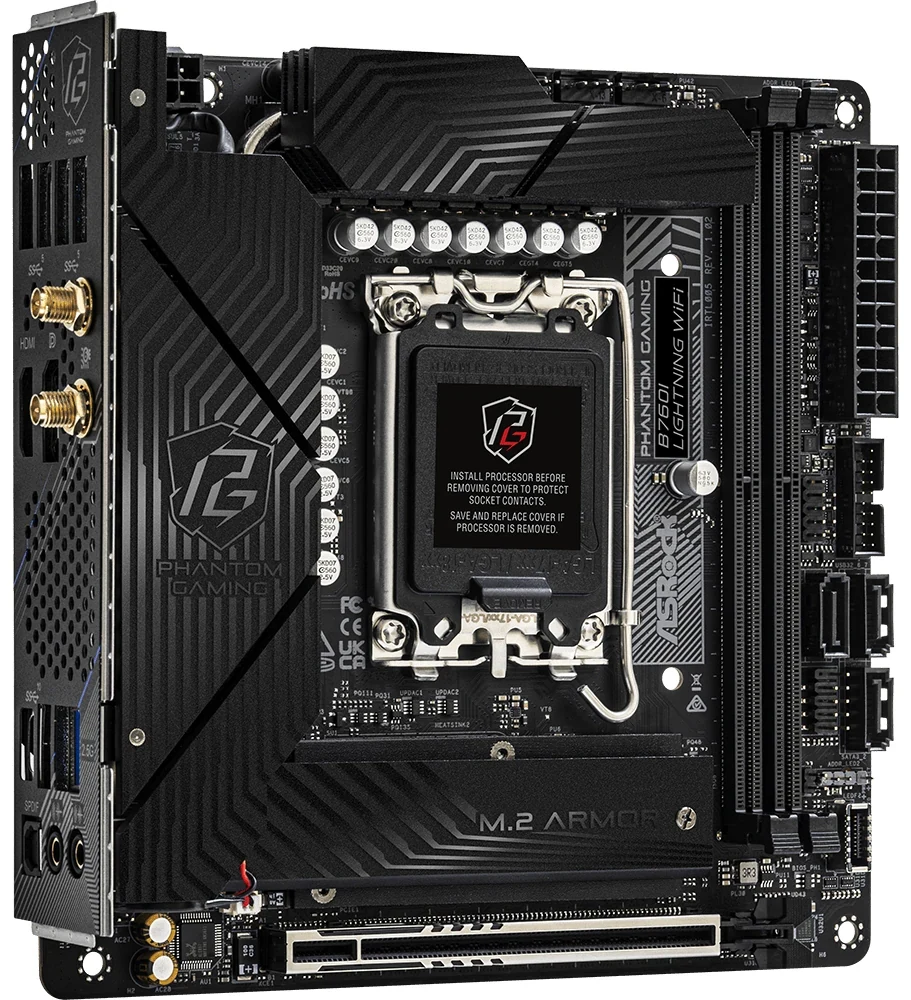
For a machine with two 2280 NVMe SSDs and a graphics card, those two storage sockets remove the D4 board's immediate drive-count obstacle. They do not require spending its sole graphics slot on an SSD adapter. The remaining questions are whether the old memory is DDR5 already and whether the case can accommodate the board, drives and cabling. A short 2242 or 2260 drive needs separate attention: neither native B760I storage position lists those lengths.
If you are starting with DDR4, include a compatible DDR5 kit in the purchase group. If you already own DDR5, check both module count and total capacity rather than assuming it all transfers. A four-stick kit still encounters a two-socket board.
ASRock's product brief says two SATA ports, but its detailed storage specification and the original manual's storage page both specify three. The layout identifies SATA3_0, SATA3_1 and SATA3_2. Use that three-connector arrangement for planning; still count physical drive bays, SATA data cables and PSU power plugs separately.
This board also offers an internal front Type-C header rated at 5 Gb/s, alongside a rear Type-C port rated at 10 Gb/s. It can therefore serve a compatible case front-C lead, although a faster label on the case cannot raise the board header's limit. Ordinary onboard audio and a front-panel audio header are present.
The current manufacturer page also marks B760I Lightning WiFi as discontinued, in July 2025. As with the D4 model, check the actual unit, package and availability rather than turning this comparison into an assumption that either ASRock board is readily stocked.
Z790-I: Choose the SSD Route as Well as the Board
The Z790-I uses DDR5 and provides two M.2 positions, but their supported lengths differ. M.2_1 accepts 2280, while M.2_2 accepts 2242, 2260 or 2280. A retained short PCIe SSD therefore has a listed mounting option here that the two ASRock storage specifications do not list. Match interface as well as length: these PCIe support lists do not establish support for a SATA-interface M.2 drive.
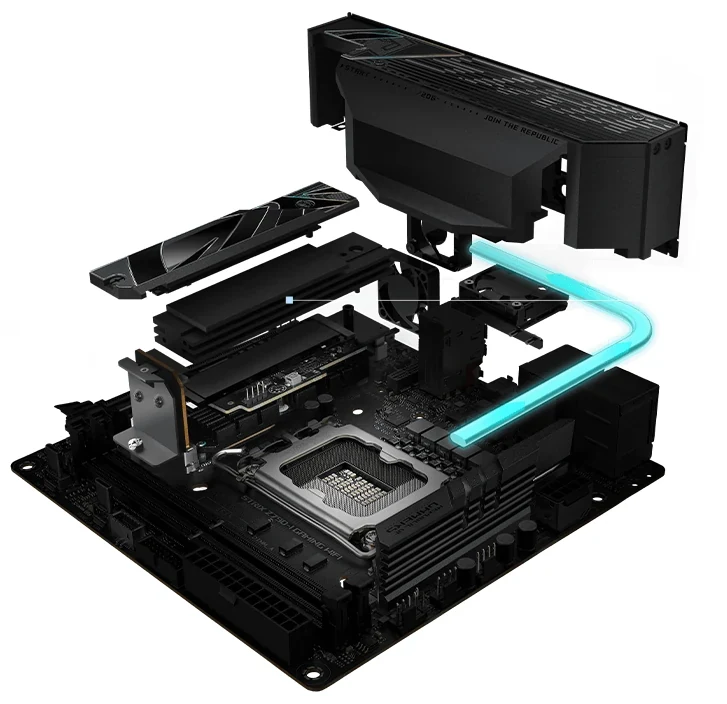
The manufacturer's exploded view shows why the Z790-I storage assembly deserves attention before the build. Drives sit within a compact heatsink stack near the expansion slot. Inspect the original mounting pieces and follow the board's installation instructions; the image is not evidence that an aftermarket SSD heatsink will fit beneath that assembly.
More importantly, M.2_1 has two electrical routes. The original manual describes these BIOS choices under Advanced > Onboard Devices Configuration:
- Auto mode: when M.2_1 is used, its PCIe 5.0 x4 signal comes from the CPU and the graphics slot uses the x8/x8 arrangement, leaving the installed graphics card an x8 connection.
- X16 mode: the graphics slot runs at x16, while M.2_1 switches to a PCIe 4.0 x4 connection from the Z790 chipset.
M.2_2 remains the separate PCIe 4.0 x4 storage position. Two installed SSDs therefore do not inherently force the graphics card to x8: the chipset route for M.2_1 is the relevant alternative. Equally, do not budget for CPU-connected Gen5 M.2_1 and full graphics x16 simultaneously. Select the route deliberately, then check the installed configuration.
These are connection choices, not measured frame-rate or SSD-performance results. A board that gives you the required drive lengths and the desired lane arrangement is more useful than a Gen5 label considered alone. If retaining graphics x16 is your priority, include the BIOS setting in the build plan rather than assuming an existing SSD automatically selects the chipset route.
Count the FPS-II Card as Part of the Z790-I
The Z790-I's two SATA ports live on the ROG FPS-II card. Its internal USB 2.0 headers and front-panel header also reside there. A board-only offer missing that card changes the usable connection inventory, even if the CPU socket and M.2 assembly are intact.
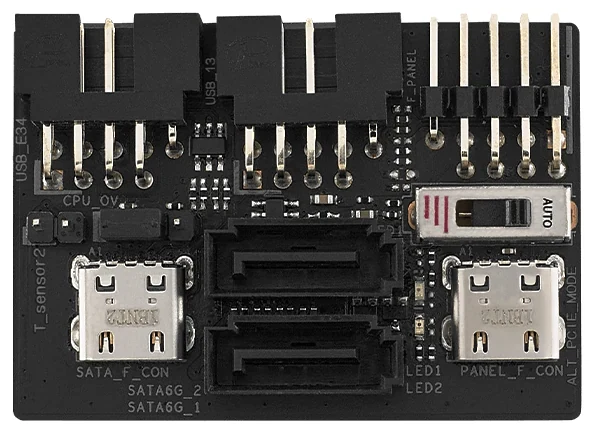
The close-up makes the dependency visible: the two SATA sockets sit between the card's two motherboard mating connectors. ASUS specifies those connections as SATA_M_CON and PANEL_M_CON. They use Type-C-shaped connectors, but the manual reserves them for the FPS-II card. Do not connect a case USB-C lead or an unrelated device to them.
For a SATA-based migration, obtain confirmation that the correct FPS-II card is included, then check the data cables, drive power and room for cable bends in the chosen case. For internal USB 2.0 devices, count the actual ports too: the two FPS-II headers support three additional USB 2.0 ports in total, rather than assuming four.
This is a different part from the FPS card used with other ROG boards. A matching brand or a similar connector shape is insufficient evidence of interchangeability.
The HIVE Changes Where Your Audio Connects
ASUS places all of this board's integrated audio functions in the external ROG Strix HIVE. Its headphone/microphone and microphone/optical-output connections are on that unit, together with the volume control. Include the HIVE in the package check if you intend to use that audio path.
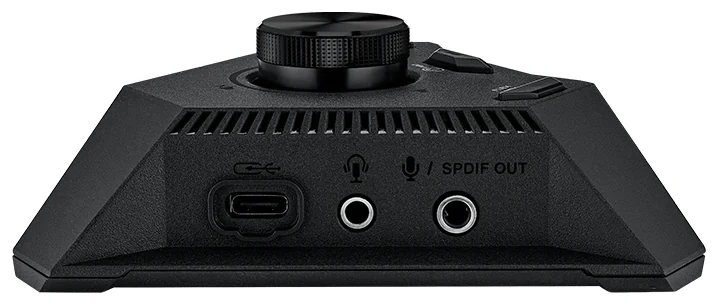
The original manual specifies the bundled USB Type-A-to-Type-C cable: Type-A connects to the dedicated rear motherboard USB port and Type-C connects to the HIVE. Keep the matching cable with the unit. Do not mistake the HIVE's visible Type-C socket for a reason to use any convenient rear Type-C port on the motherboard.
An owner already using an independent USB headset or DAC may not need the board's integrated audio for that setup. That does not restore SATA ports or internal headers when the separate FPS-II card is absent. Check the two accessories according to the functions you actually need, and allow a convenient desk position and cable route for the HIVE.
This comparison concerns the original ROG Strix HIVE supplied for Z790-I, not HIVE II from a different motherboard package.
Match the Case’s Front Port Separately from Rear USB-C
| Board | Internal front-C connection | Rear Type-C provision |
|---|---|---|
| B760M-ITX/D4 WiFi | None listed | One 20 Gb/s USB port |
| B760I Lightning WiFi | One 5 Gb/s header | One 10 Gb/s USB port |
| Z790-I Gaming WiFi | One 20 Gb/s connector | One 20 Gb/s USB port, plus two Thunderbolt 4 ports |
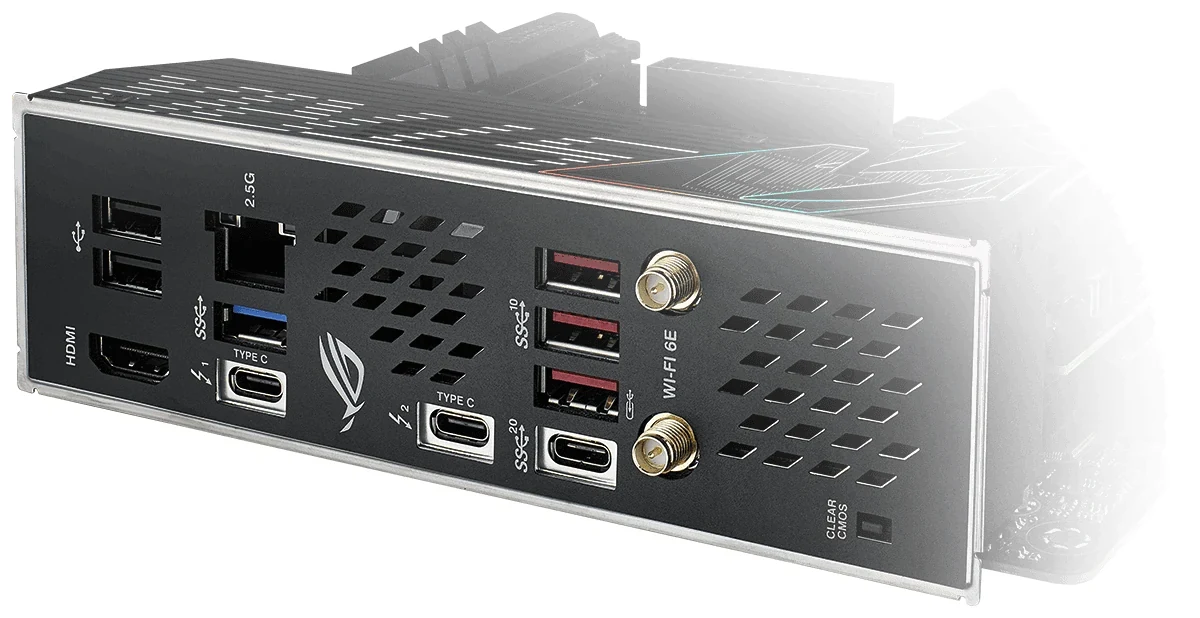
The Z790-I rear view shows three Type-C sockets with different markings: two carry Thunderbolt symbols, while the separate USB socket is marked for 20 Gb/s. The matching 20 Gb/s front-panel capability comes from an internal connector, not a cable borrowed from those rear ports.
For all three routes, compare the case's actual internal lead and rated port with the available motherboard connection. Then check that the plug can seat and its cable can bend without obstructing nearby parts. End-to-end transfer capability also depends on the device and cable; the table is not a promised file-copy speed. A Type-C shape alone does not establish charging or display behavior.
Price the Complete Migration Group
| Route | Parts you may retain | Purchases or changes to account for |
|---|---|---|
| B760M D4 | Compatible two-module DDR4, one 2280 NVMe, up to four cabled SATA drives | Memory consolidation if needed; solution for any additional NVMe or essential case front-C requirement |
| B760I | Compatible two-module DDR5, two 2280 NVMe, up to three SATA drives | DDR5 if starting from DDR4; underside SSD access and complete mounting/cabling parts |
| Z790-I | Compatible two-module DDR5, two supported-length PCIe SSDs, up to two SATA drives | DDR5 if needed; correct FPS-II and HIVE/cable according to use; deliberate M.2_1 lane setting |
For example, a PC with four DDR4 sticks, two NVMe drives and a case front-C port is not a simple motherboard-only transfer to the D4 board. You would lose memory slots, lack a second native M.2 position and have no listed internal front-C header. Decide which requirements can change before comparing prices. The DDR5 boards address some of those constraints, but introduce a memory purchase if the old kit is DDR4.
Finish the list with the actual case, GPU and riser, cooler and mounting hardware, PSU and cable reach. All three boards list 24-pin main power and 8-pin CPU power connections; that does not establish that your existing PSU or cooler physically fits the smaller enclosure. Count antennas, SSD fasteners, SATA leads and any required accessory cards before committing.
Keep DDR4 when the complete retained-parts plan works. Choose B760I when its DDR5, dual-2280 layout and case connections suit the machine. Choose Z790-I when its storage-length options, front USB capability or Thunderbolt ports justify the full package, including its accessory and lane-routing decisions.