A case advertised as supporting vertical GPUs may still need a riser cable, a case-specific mounting kit, or both. The correct shopping list depends on its rear expansion-slot design. A rotating bracket reuses part of the case, a dedicated kit replaces or adds the mounting assembly, and fixed vertical slots provide a separate rear opening with their own clearance limits.
Start by identifying which route your exact case uses. Then match the riser, mounting hardware, graphics card dimensions, and surrounding components. Buying a riser first is only useful if the case already provides a suitable way to secure its socket and the card.
Separate the Mechanical Mount from the Electrical Connection
The graphics card needs a secure rear bracket location and support for the riser's GPU-end socket. It also needs an electrical path back to the motherboard's PCIe slot. The riser cable provides that extension; it does not automatically provide every structural part required by the case.
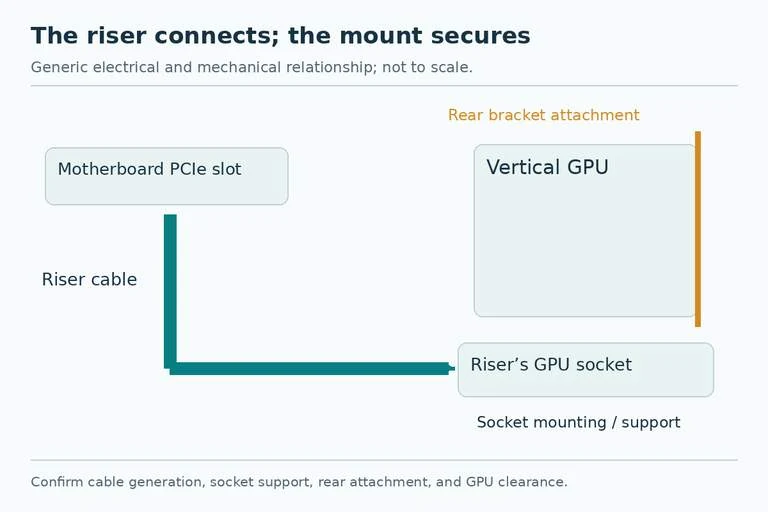
Ask two separate questions of every product bundle: “What holds the card and socket?” and “What connects the card to the motherboard?” An included vertical bracket answers the first only to the extent shown by the installation guide. A loose riser answers the second without necessarily answering the first.
Also distinguish an ordinary anti-sag support from a vertical conversion assembly. Supporting the far end of a horizontally mounted card does not rotate its rear bracket or relocate its electrical socket. The accessories may appear together in a case listing while serving different purposes.
Route One: Rotate the Case’s Expansion Bracket
CORSAIR describes a rotating expansion-slot bracket for the 3500X, FRAME 4000 family, FRAME 5000D family, and updated 5000T LX variants. The bracket is released, rotated, and secured again. Installation then uses the appropriate riser arrangement and mounting hardware on the PSU shroud.
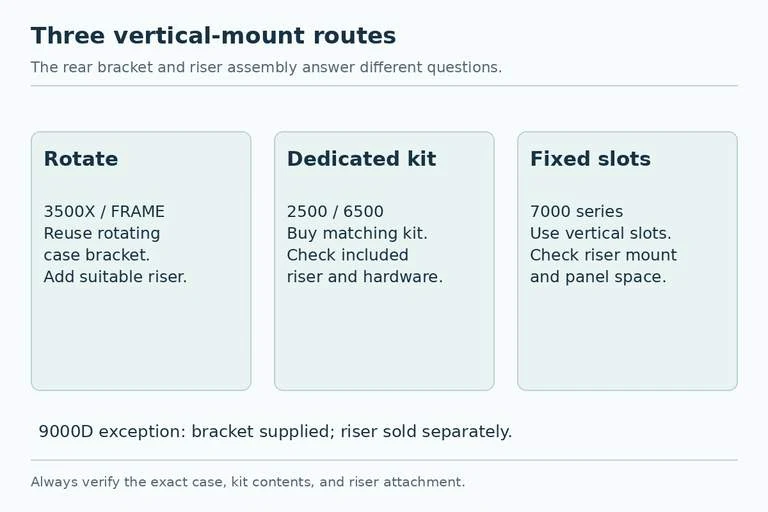
For this route, the first item to verify is the riser package: cable, GPU-end socket assembly, compatible mounting points, and required screws or standoffs. Check the case instructions against the riser contents rather than assuming a bracket's rotation means a riser is already in the box.
The case-family name matters. A FRAME 4000-series design should not be confused with an older case simply bearing “4000D” in its name. Likewise, an updated model's mechanism is not evidence that every earlier case with a similar name rotates. Photograph your rear bracket and compare the exact manual if the identity is uncertain.
Route Two: Buy the Dedicated Conversion Kit
The 2500 series uses a separately sold CORSAIR vertical GPU kit that includes the mounting assembly, replacement rear-slot parts, riser cable, and GPU-end slot. The 6500 series likewise uses a dedicated kit; CORSAIR's guide identifies compatibility with the 6500X and 6500D and describes a PCIe 4.0 riser in that kit.
Here the kit is the starting purchase, rather than a generic loose cable. Verify its full compatibility list and contents. If the required riser is already included, adding another cable may create a duplicate purchase. If you want a different-generation riser, first establish that its dimensions and attachment arrangement suit the kit.
Do not substitute a kit for another chassis because the graphics card connector is the same. Rear-slot replacement pieces and floor attachment points belong to the case's mechanical design. A universal electrical interface does not make the surrounding sheet metal universal.
Route Three: Use Fixed Vertical Slots
CORSAIR's 7000-series design has separate horizontal and vertical rear slots rather than the rotating arrangement. Its three vertical openings impose a rear-bracket constraint, and the card's cooler still needs space between its intake face and the side panel. A nominal three-slot opening is not proof that every card marketed as “three-slot” has a suitable full envelope.
For this route, confirm the riser socket's intended attachment and obtain the required riser and hardware. Then compare the exact card's bracket thickness, cooler thickness, and panel distance. Check the cooler body separately from the number of metal bracket openings it uses.
The 9000D is a useful bundle exception: CORSAIR says a vertical bracket is supplied, while the riser cable is sold separately. It therefore needs its own contents check rather than a blanket assumption that all large cases include the complete conversion.
Turn the Route Into an Order List
| Case example | Mechanical starting point | What to verify or buy |
|---|---|---|
| 3500X, FRAME 4000/5000D | Rotating case bracket | Suitable riser assembly and its mounting hardware |
| 2500 series | Dedicated conversion kit | Exact matching kit and included parts |
| 6500X / 6500D | Dedicated conversion kit | Kit fit, included PCIe 4.0 riser, hardware |
| 7000 series | Fixed vertical rear slots | Riser, socket mounting, card and panel clearance |
| 9000D | Supplied vertical bracket | Separately purchased suitable riser and required hardware |
Check the actual retail package before payment, especially when buying used. Missing standoffs, rear-slot pieces, or a socket support can turn an apparently inexpensive kit into an incomplete assembly.
Check the Whole Card Envelope Before Committing
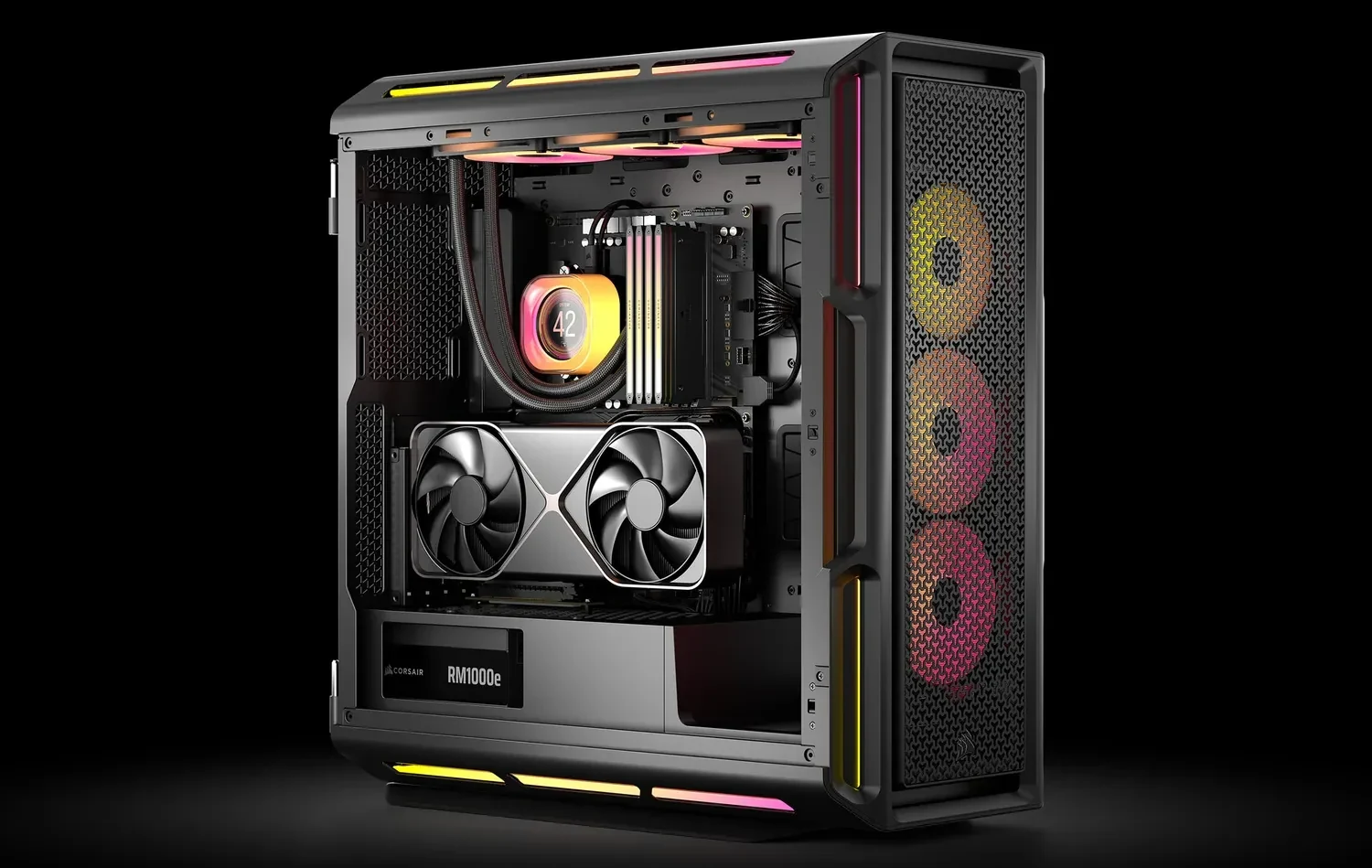
Draw the proposed vertical card beside the glass, bottom fans, radiator, CPU cooler, and any lower expansion cards. Include the power connector and the cable's exit direction. Rotating the GPU changes where these occupy space; a cable that cleared the panel horizontally may face a different obstruction vertically.
For example, a card may fit the rear openings yet place its fans immediately beside the glass. Another arrangement may clear the glass but cover a lower expansion slot you need. These are distinct reasons to reject a vertical plan. Do not use the presence of three vertical openings as a substitute for either check.
Confirm the riser's documented PCIe support and installation requirements for the intended card and board. Follow the case and riser guides with the system powered down. After assembly, verify card detection, cable seating, and the behavior of the completed cooling arrangement before treating the conversion as finished.
Your final order should name the case revision, mounting route, kit or bracket, riser specification, and all required hardware. That makes “vertical GPU support” a complete parts plan rather than a feature label that leaves the essential pieces to discovery.