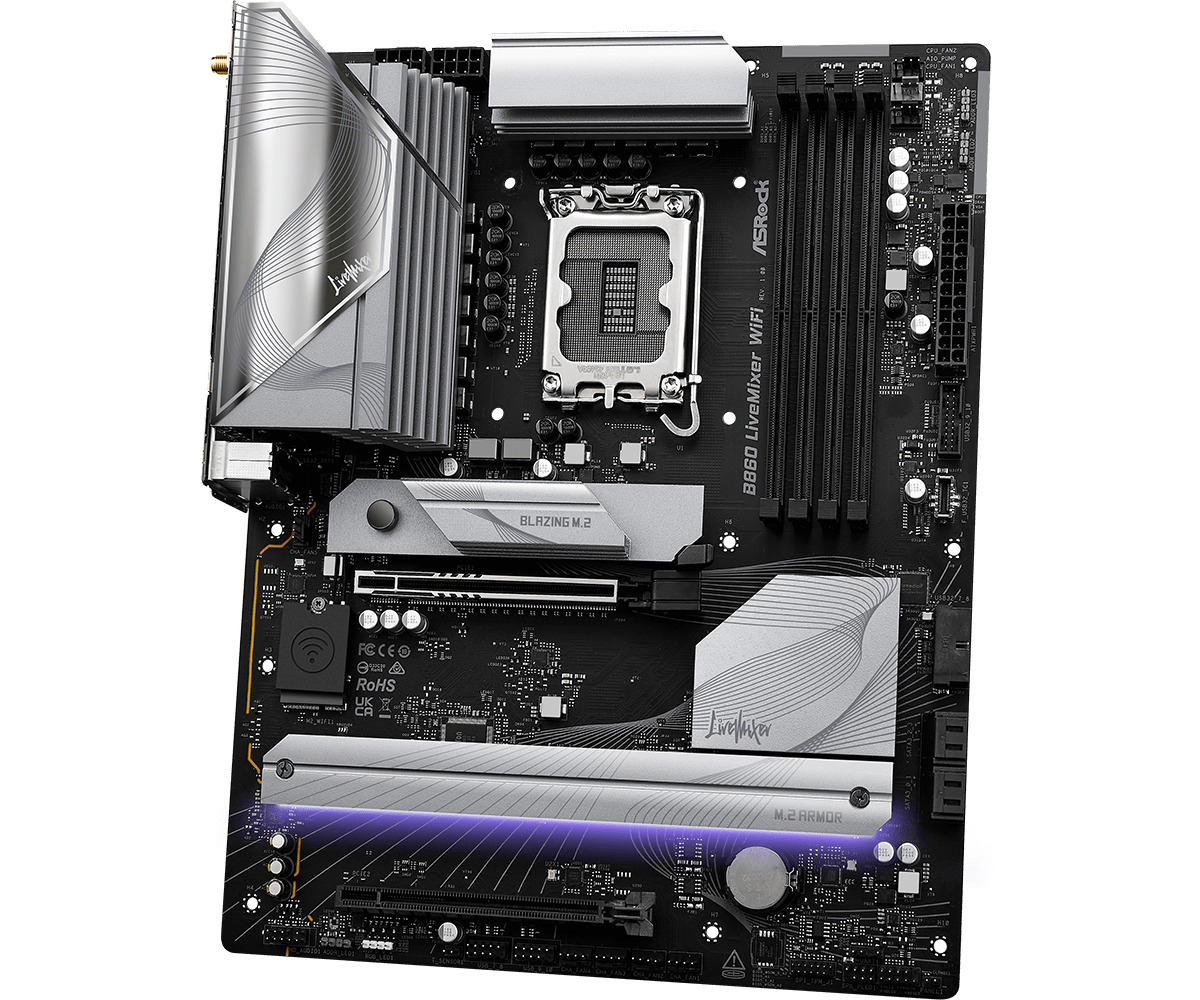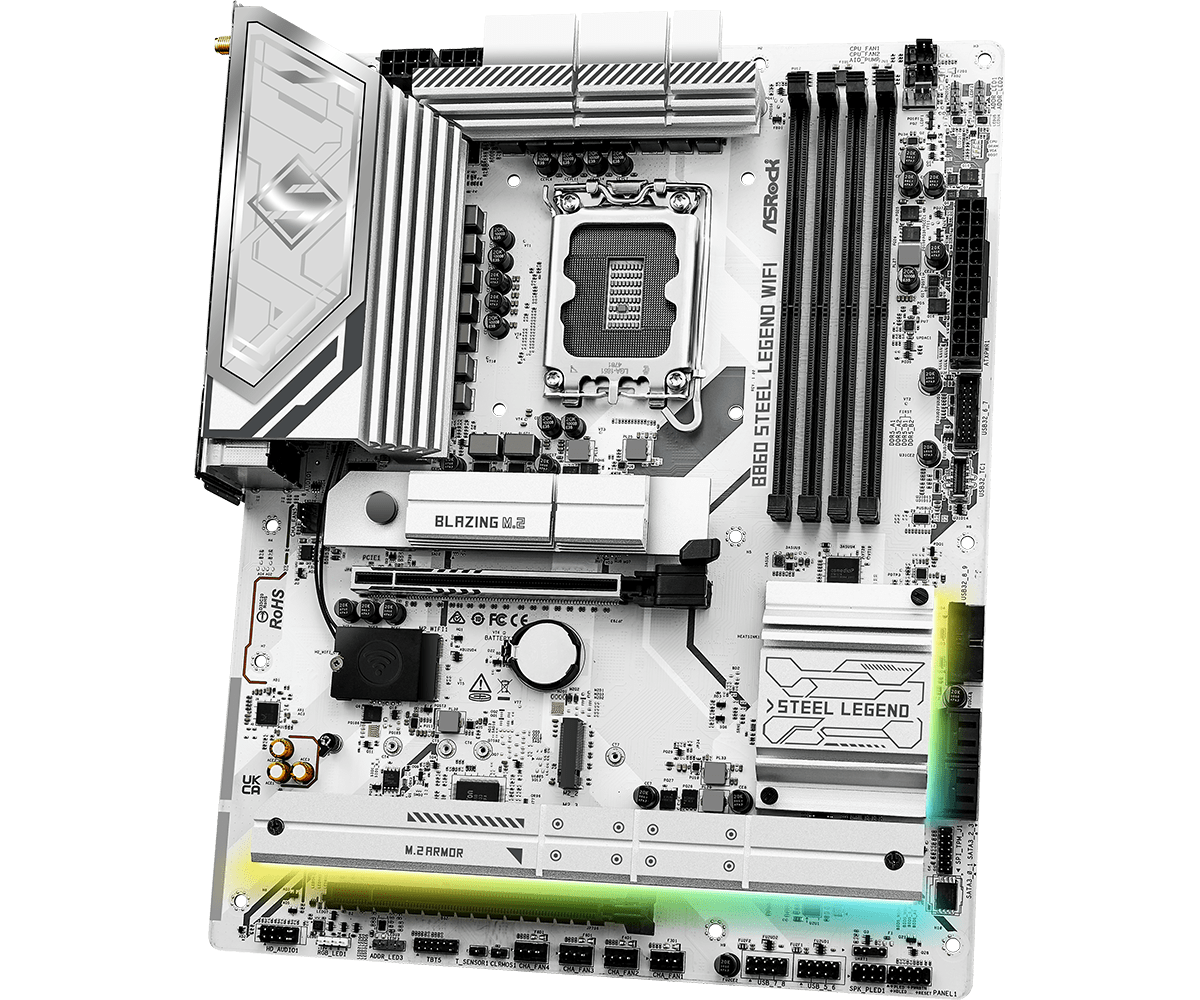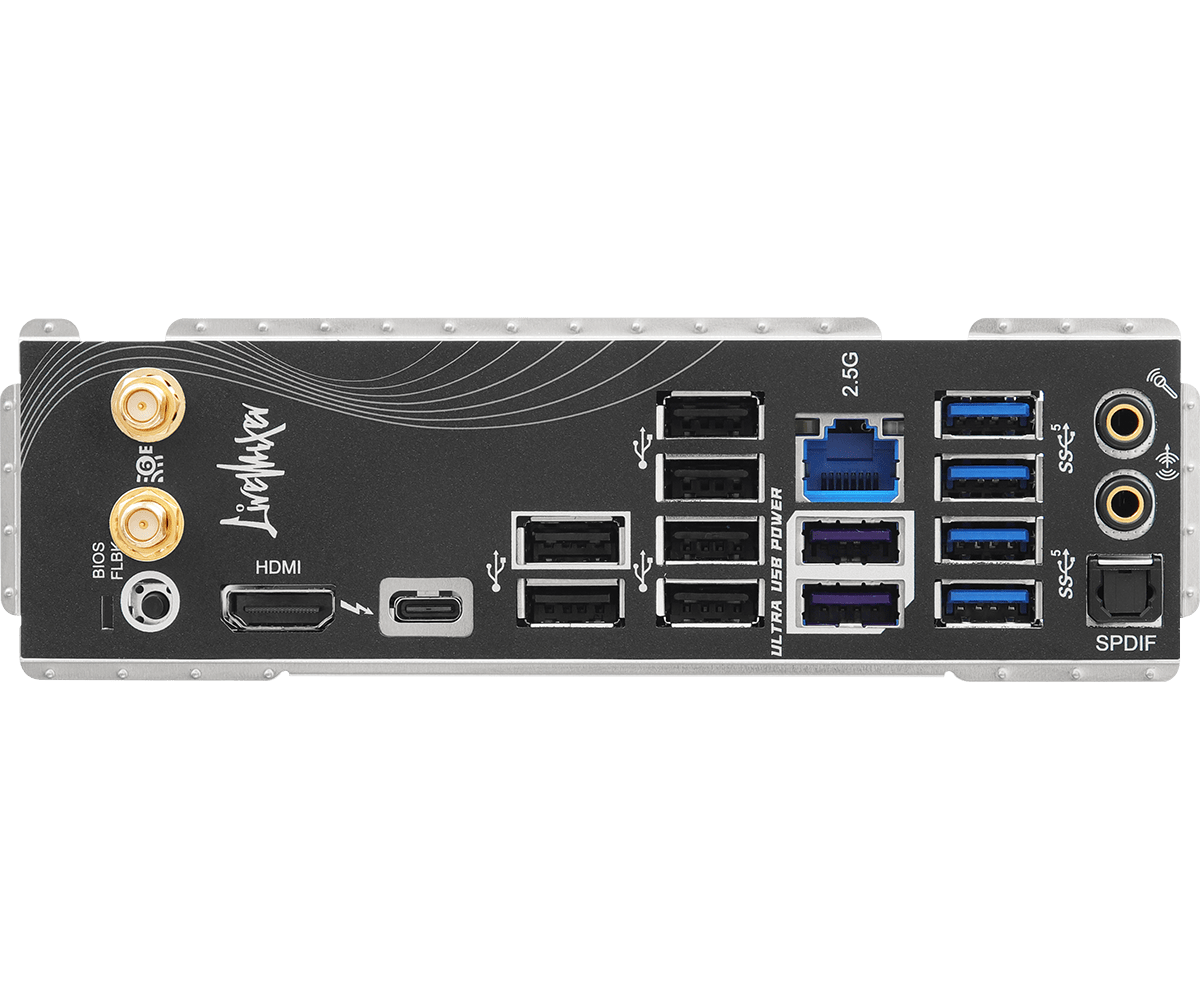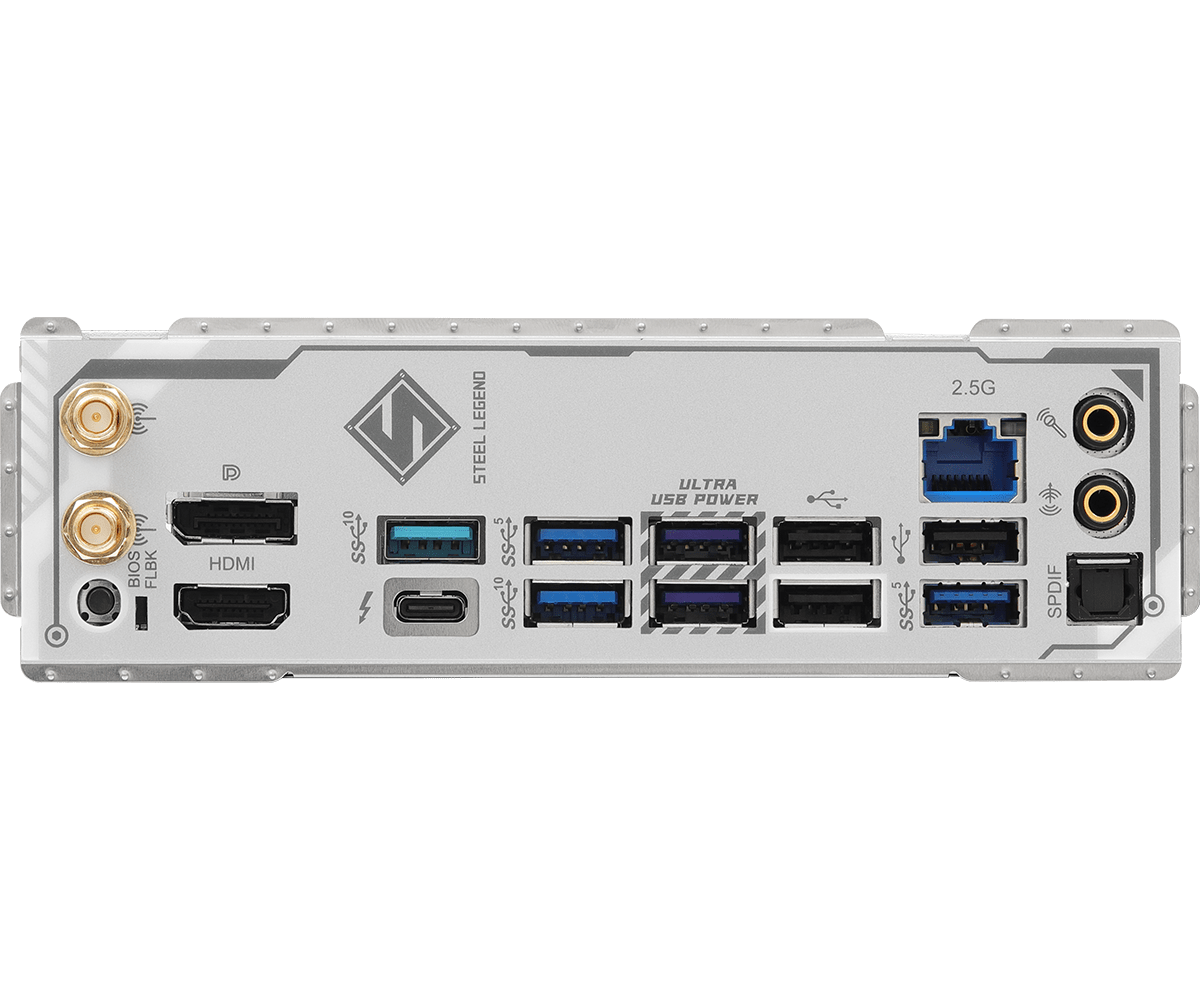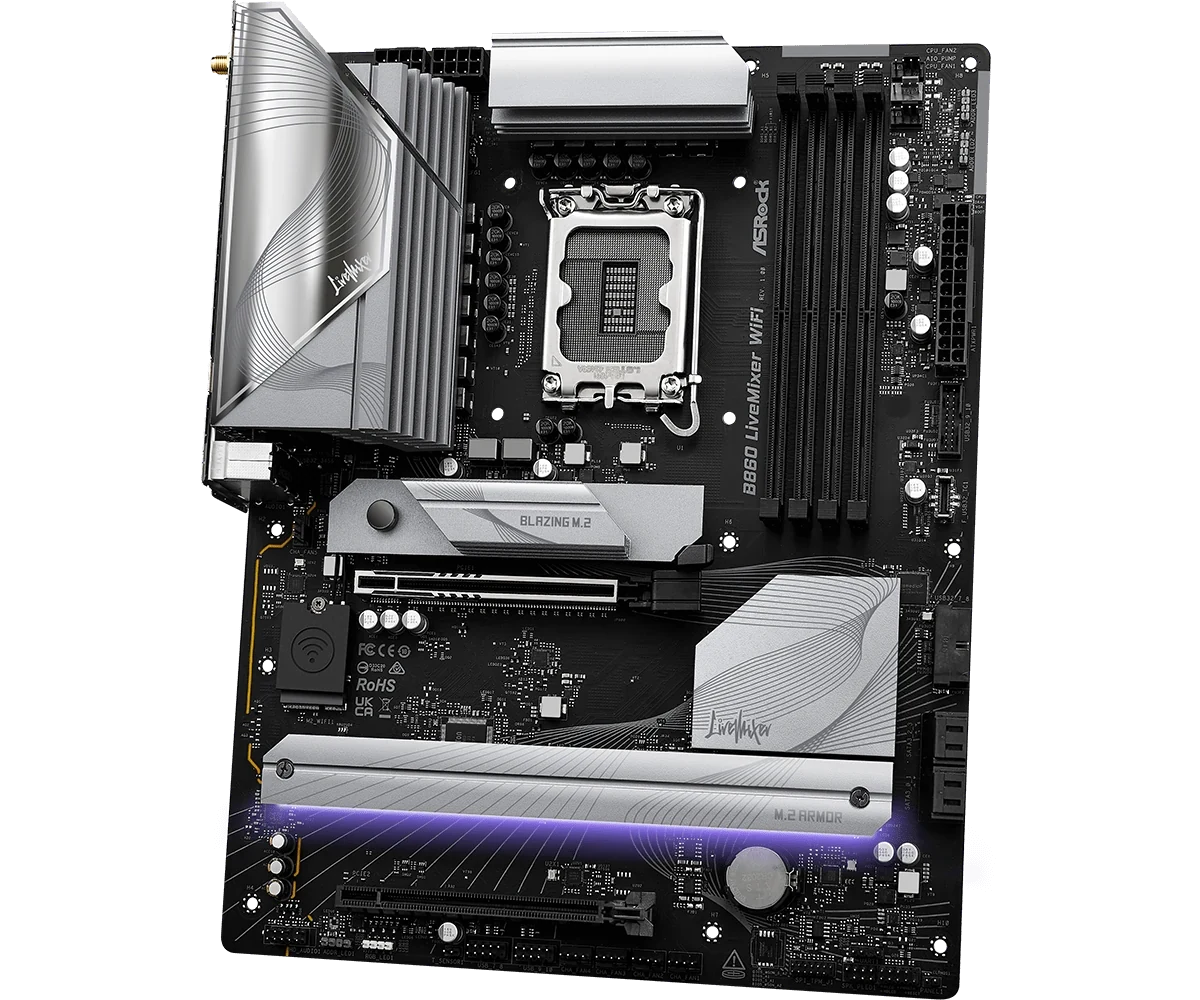
B860 LiveMixer WiFi gives the second expansion card an x4 link; B860 Steel Legend WiFi gives it x2. Steel Legend, however, provides a front 20Gbps Type-C header and a fourth M.2 position that LiveMixer lacks. LiveMixer's front Type-C connection is 5Gbps, and Steel Legend's fourth SSD position is Gen4 x2.
If your capture card requires x4 and your case must retain native front 20Gbps operation, neither board meets both requirements as specified. If one condition is flexible, a useful choice emerges—but only after assigning the SSDs, case cables and rear USB devices together.
Both boards belong to the Intel LGA1851 platform. The comparison here concerns the full-size B860 models shown, rather than similarly named B860M or AMD boards.
Choose the Second-card Link Before Counting the Long Slots
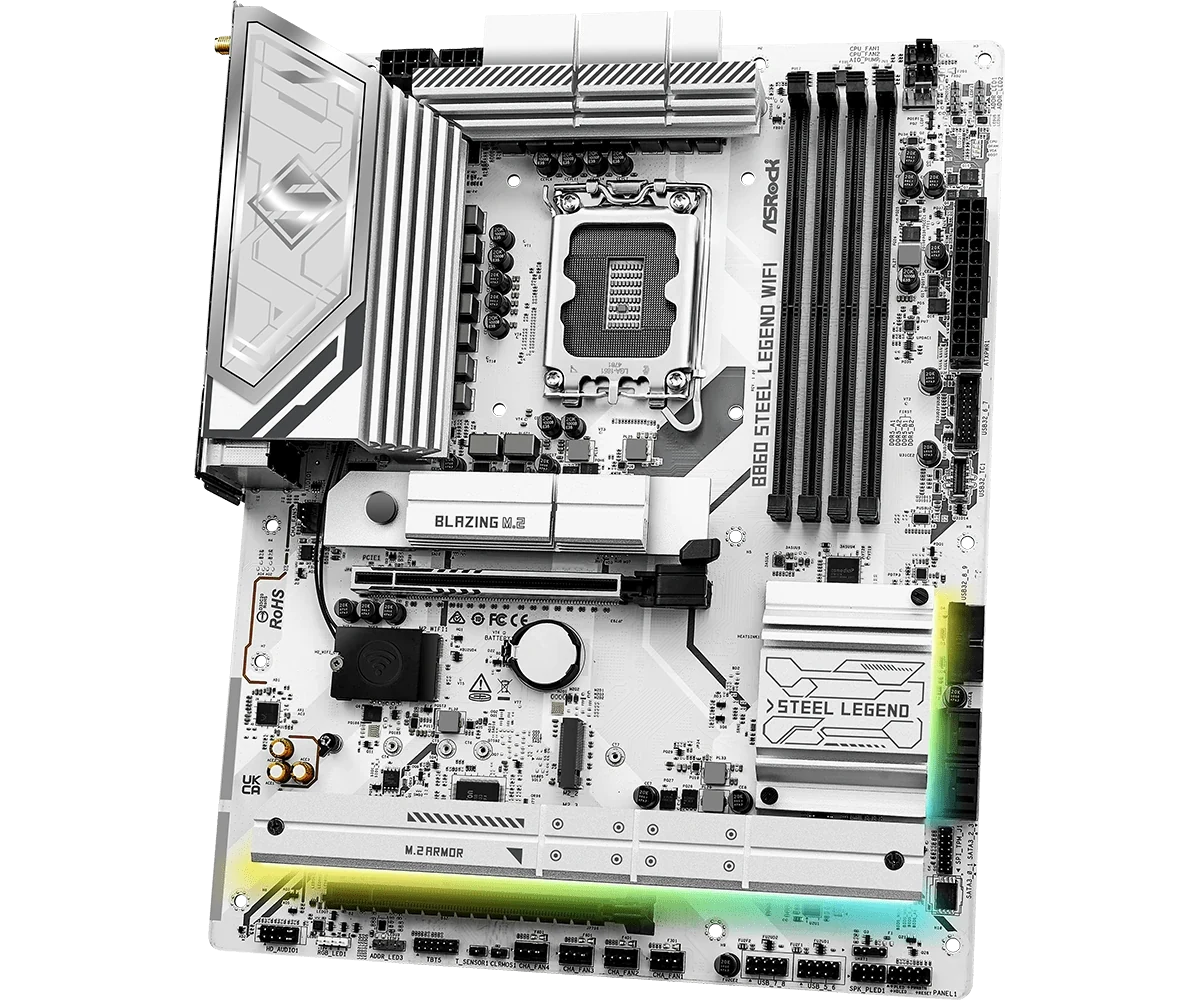
Both boards place the primary GPU in CPU-connected PCIE1, rated Gen5 x16. Their lower PCIE2 connectors are physically long but chipset-connected: Gen4 x4 on LiveMixer and Gen4 x2 on Steel Legend.
| Retained requirement | B860 LiveMixer WiFi | B860 Steel Legend WiFi |
|---|---|---|
| Lower expansion-card connection | Gen4 x4 | Gen4 x2 |
| Onboard M.2 positions | Three | Four; fourth is Gen4 x2 |
| Native front Type-C rate | 5Gbps | 20Gbps |
Use the capture card's documented minimum link and supported operating modes. A long connector does not establish that all its possible lanes are wired. Equally, an x2 connection does not prove that every capture card is unusable: the question is whether your particular device supports the intended operation there.
If x4 is a firm requirement, Steel Legend's lower slot does not preserve that requirement. Do not assume that a newer PCIe generation automatically compensates for fewer lanes. Record the card's actual supported link rather than comparing headline numbers in isolation.
Then check physical access. A thick graphics cooler, its backplate or another obstruction can interfere with the lower card even where the electrical allocation is suitable. The board photographs show the two positions; they do not measure the clearance of your installed GPU and capture card.
Assign Every SSD, Including the Short Module
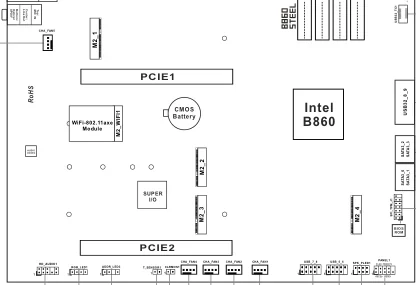
The first three M.2 positions share the following published formats and routes. Steel Legend adds M2_4 with a narrower link. These are the storage sockets, separate from the Key-E position used for wireless hardware.
| Position | LiveMixer | Steel Legend |
|---|---|---|
| M2_1 | CPU Gen5 x4; 2280 | CPU Gen5 x4; 2280 |
| M2_2 | Chipset Gen4 x4; 2230, 2242, 2260, 2280 | Chipset Gen4 x4; 2230, 2242, 2260, 2280 |
| M2_3 | Chipset Gen4 x4; 2280 | Chipset Gen4 x4; 2280 |
| M2_4 | No onboard position | Chipset Gen4 x2; 2280 |
For example, a retained set containing one 2230 PCIe SSD and two 2280 PCIe SSDs has a three-position allocation on either board: put the short module in M2_2 and the longer drives in M2_1 and M2_3. Choose between those two longer-drive positions according to which drive needs the Gen5 connection.
A fourth 2280 PCIe drive changes the result. Steel Legend has an onboard place for it, but that place is x2. Assign a drive there only after deciding that the narrower connection meets its intended role. Four sockets do not promise four x4 links, and the socket-count advantage alone does not settle performance for your workload.
Both boards also list four SATA3 cable connections. Their published M.2 storage entries specify PCIe modes; do not assume an old SATA M.2 module fits the plan merely because its length matches a row.
For cable-connected SATA drives, include case mounts, data leads and PSU power in the retained-parts list. Keeping those drives does not consume an M.2 position, but still requires a complete physical installation. Avoid turning a storage-connector count into a promise that every existing drive can move unchanged.
Decide Whether Front 20Gbps Is a Requirement or a Preference
LiveMixer calls its front Type-C header F_USB32_TC1 and specifies USB Gen1. Steel Legend's USB32_TC1 is Gen2x2, rated 20Gbps. Both also provide two Gen1 headers for four front Type-A ports and two USB 2.0 headers for four ports.
The case must supply the appropriate lead and front-port capability. An exterior Type-C socket does not establish the complete data path. Check the case documentation and the device and cable you plan to use before treating the 20Gbps header as an achieved transfer rate.
If your portable SSD needs a 20Gbps connection at the front, LiveMixer does not supply that native connection. Its rear Thunderbolt socket is a different location and connection, not a faster specification for the existing front header.
If the front socket is mainly a convenient place to attach devices whose requirements are met at 5Gbps, preserving the x4 capture-card link may matter more. That is a valid priority change when it reflects your actual use. It is not valid to describe LiveMixer's front connection as 20Gbps to make the comparison produce an effortless winner.
LiveMixer Favors a Larger Rear Type-A Inventory
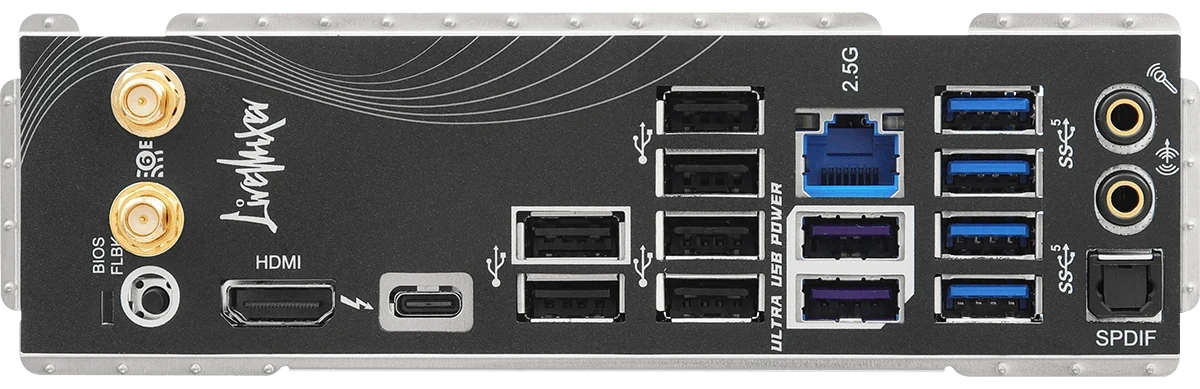
The rear-panel distribution is more informative than a total USB count that mixes case-header capacity with sockets already on the board.
| Rear Type-A sockets | LiveMixer | Steel Legend |
|---|---|---|
| 10Gbps | None | Two |
| 5Gbps | Six | Four |
| USB 2.0 | Six | Three |
| Total Type-A sockets | Twelve | Nine |
For a hypothetical streaming setup, list the keyboard, mouse, control surface, microphone interface, camera and external storage separately. Assign devices to USB 2.0 only when their documented requirements permit it. Reserve faster connections for the devices that actually need them, rather than allocating by how important each device feels.
LiveMixer can be attractive when the number of physical Type-A connections is the constraint. Its larger rear inventory may let you connect more of those devices directly. That says nothing, by itself, about every device sustaining its maximum transfer rate simultaneously or about stability under your specific capture workload.
A powered hub or another expansion card would add its own compatibility, power and bandwidth questions. Do not include an unverified accessory as though it were already part of either motherboard's native solution.
Steel Legend Adds Rear 10Gbps, with Thunderbolt Limits on Both Boards
Steel Legend's two rear 10Gbps Type-A ports offer an allocation LiveMixer's rear Type-A inventory does not. Both boards also have one rear Thunderbolt 4/USB4 Type-C port, with charging specified up to 15W. Thunderbolt display output uses the CPU's integrated graphics.
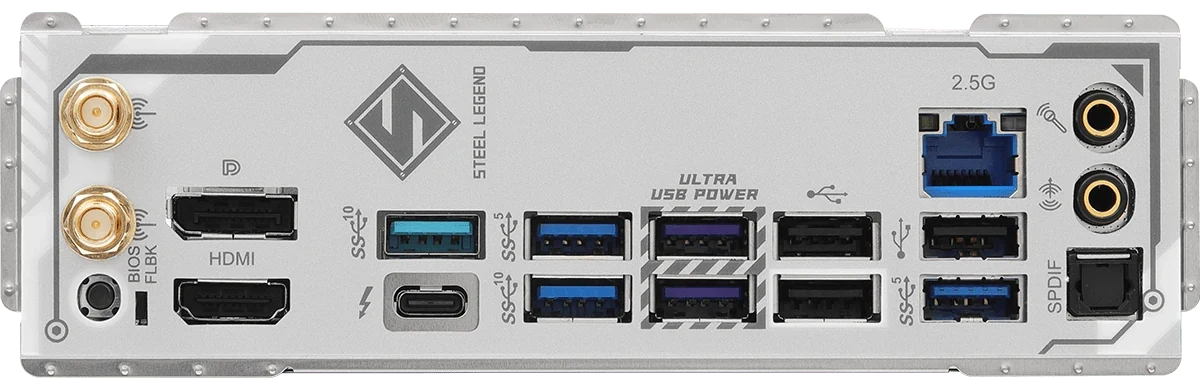
If you retain two Type-A storage devices that need 10Gbps connections, Steel Legend gives you two matching native rear-port positions. Confirm their required interfaces and cables; the socket counts do not guarantee a particular copy speed or that every other connection is independent under concurrent load.
For a Thunderbolt monitor, confirm that your chosen CPU has the required integrated graphics. Installing a discrete GPU does not establish a video route from that GPU through the motherboard's Thunderbolt socket. Use the actual supported display path in the equipment plan.
Also separate charging from data speed. The rear port's 15W specification does not establish laptop-charging suitability, nor does it establish the power available through either board's case-front connector. Match the intended device's requirements instead of treating all Type-C sockets as equivalent.
Compare Complete Retained-parts Plans
Three example plans make the trade-off concrete:
- An x4 capture card, three compatible PCIe SSDs and front Type-C that may run at 5Gbps: start with LiveMixer. Assign any short SSD to M2_2, check the lower card's clearance and allocate the rear peripherals by their requirements.
- A card whose intended operation is supported at x2, four compatible PCIe SSDs and native front 20Gbps: start with Steel Legend. Record the fourth drive's x2 connection explicitly, then verify the case-front lead and all physical clearances.
- A capture card requiring x4 plus an uncompromised native front 20Gbps requirement: neither of these two boards satisfies the complete native plan. Keep that mismatch visible rather than silently relaxing one condition.
The purchase decision should preserve the equipment you actually need. Keep the second-card link, every SSD model and position, the case-front connection and the rear-device assignments on the same page. A board that wins one column remains unsuitable when another firm requirement is left without a working allocation.